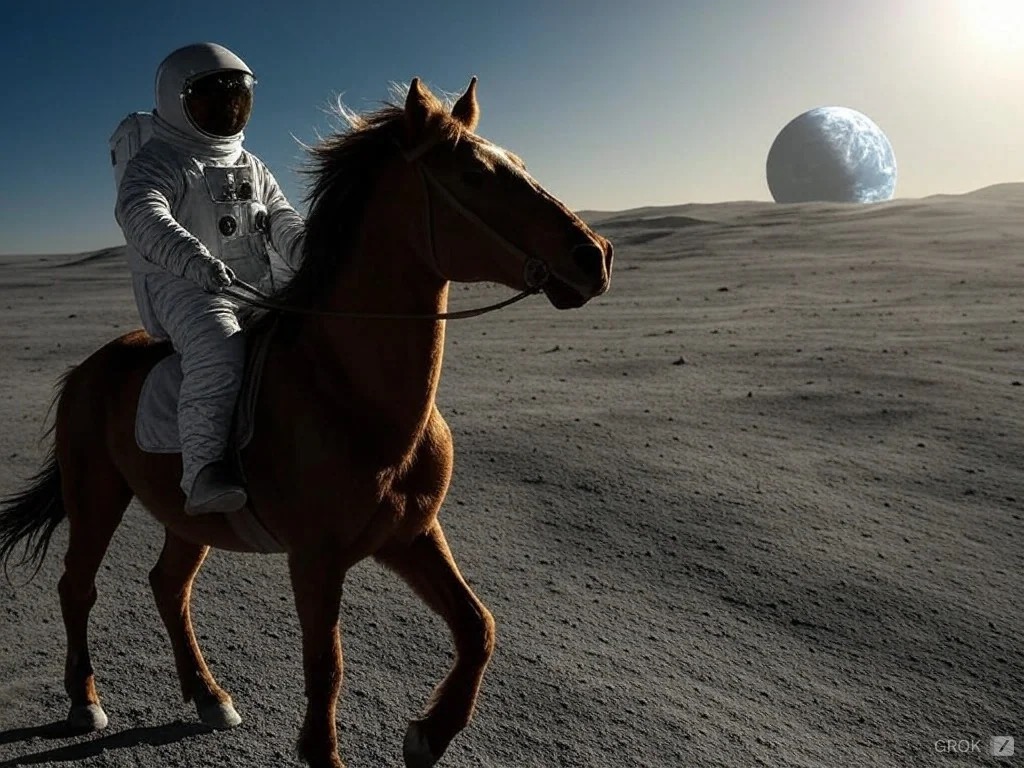
In July 2025, xAI launched Grok Imagine, a groundbreaking AI-powered image and video generation tool that's turning heads across the creative industry. Built on xAI's proprietary Aurora model, Grok Imagine represents a significant leap forward in generative AI—combining photorealistic rendering, lightning-fast generation speeds, and notably fewer content restrictions than competitors.
Whether you're a content creator, marketer, developer, or creative professional exploring AI image generation in 2026, understanding Grok Imagine's capabilities and how it stacks up against established players like DALL-E 3 and Midjourney is essential.
This comprehensive guide covers everything you need to know about Grok Imagine: what it is, how it works, step-by-step usage instructions, unique features, pricing, prompt optimization tips, and detailed comparisons with other leading AI image generators.
What Is Grok Imagine? The Evolution of xAI's Visual AI
Grok Imagine is xAI's latest innovation in generative AI—a tool that transforms text prompts and images into stunning visual content, including both static images and six-second animated videos with synchronized audio.
The Aurora Engine: xAI's Secret Weapon
According to xAI's official announcement, Grok Imagine is powered by Aurora, an autoregressive mixture-of-experts network trained on billions of examples from the internet. This gives Aurora a deep understanding of the world, enabling it to excel at:
- Photorealistic rendering with precise visual details
- Following text instructions with exceptional accuracy
- Rendering real-world entities including logos, text, and human portraits
- Handling challenging domains where other models typically struggle
What makes Aurora particularly impressive is its evolutionary journey. xAI initially partnered with Black Forest Labs' FLUX.1 model in August 2024 when Grok-2 launched. However, by December 2024, xAI unveiled Aurora, their proprietary model that garnered immediate attention for its photorealistic capabilities and minimal content restrictions.
From Images to Videos: The Grok Imagine Expansion
On July 28, 2025, xAI took Grok Imagine to the next level by introducing image-to-video capabilities with native audio generation. According to WikiTech Library, users can now:
- Generate high-quality images from text prompts
- Convert those images into six-second animated clips
- Add synchronized soundtracks automatically
- Choose from multiple creative modes including the controversial "Spicy" mode
This positions Grok Imagine as one of the most versatile AI content creation tools available in 2026, competing directly with specialized video generators while maintaining exceptional image quality.
How Grok Imagine Works: The Technology Behind the Magic
Understanding how Grok Imagine generates its impressive outputs helps you leverage the tool more effectively.
The Aurora Architecture
Aurora uses an autoregressive mixture-of-experts approach, which means it:
- Processes prompts token by token similar to large language models
- Predicts the next visual element based on interleaved text and image data
- Utilizes specialized expert networks for different aspects of generation (lighting, textures, composition)
- Refines outputs iteratively to match your text description precisely
This architecture allows Aurora to understand context deeply—not just recognizing "a cat" but understanding "a fluffy Persian cat sitting regally in a Victorian garden at golden hour."
Training on Internet-Scale Data
According to xAI's documentation, Aurora was trained on billions of diverse examples from across the internet. This massive training corpus gives the model:
- Deep knowledge of visual concepts, styles, and compositions
- Understanding of cultural references and current trends
- Ability to render text, logos, and brand elements accurately
- Familiarity with diverse artistic styles from photorealism to abstract art
Speed Optimization for Mobile
As Arsturn's Grok Imagine guide notes, Grok Imagine is optimized for mobile devices and "churns out images and videos incredibly quickly." This speed advantage makes it particularly attractive for content creators who need rapid iteration and on-the-go creation.
Key Features and Capabilities of Grok Imagine
1. Text-to-Image Generation
Create stunning images from text descriptions with exceptional prompt understanding and visual quality.
Key strengths:
- Photorealistic human portraits
- Accurate text rendering within images
- Precise logo and brand element recreation
- Wide range of artistic styles

2. Image-to-Video Conversion
Transform static images into dynamic six-second video clips with synchronized audio—a feature that sets Grok Imagine apart from many competitors.
Creative modes available:
- Normal: Standard, professional animation
- Fun: More dynamic, playful camera movements
- Custom: Fine-tuned control over animation style
- Spicy: Minimal content restrictions (subscriber-only)
3. Voice Prompt Input
According to TopMedia AI's guide, Grok Imagine supports voice prompts—simply tap the "Speak" button and describe what you want to create verbally.
4. Image Upload and Modification
Upload existing images from your device and use Grok Imagine to modify, enhance, or reimagine them with new styles and elements.
5. Minimal Content Restrictions
As The Verge reported, prompts that would be "immediately blocked" on other services are permitted by Grok. The "Spicy Mode" allows generation of content with fewer guardrails—though this feature is restricted to paying subscribers.
How to Use Grok Imagine: Step-by-Step Guide
Ready to start creating with Grok Imagine? Here's a comprehensive walkthrough based on multiple user guides.
Step 1: Download the Grok App
- Visit the Apple App Store (iOS) or Google Play Store (Android)
- Search for "Grok" (note: it's separate from the main X app)
- Download and install the application
Step 2: Sign In with Your X Account
- Open the Grok app
- Sign in using your X (formerly Twitter) credentials
- You'll need an X account to access Grok Imagine
Step 3: Navigate to the Imagine Tab
After launching the app, you'll see three main tabs:
- Ask: For text-based Grok AI conversations
- Imagine: For image and video generation ← Select this
- Companions: For AI companion interactions
Step 4: Choose Your Creation Mode
Select either Image or Video mode depending on what you want to create.
Step 5: Input Your Prompt
You have three input options:
Text Prompt: Type a detailed description of the image you want to create. Example:
"A cyberpunk cityscape at night with neon signs reflecting in wet streets, cinematic lighting, wide-angle view"
Voice Prompt: Tap the "Speak" button and verbally describe your vision.
Image Upload: Upload an existing photo from your device to modify or reimagine it.
Step 6: Generate Your Image
- Hit the generate button
- Wait a few seconds (Grok Imagine is notably fast)
- Review the generated variations
- Select the version you prefer
Step 7: Create a Video (Optional)
To animate your image:
- Tap on your chosen image
- Select "Make video"
- Choose from the available modes:
- Normal: Standard professional animation
- Fun: More dynamic, playful movements
- Custom: Greater control over animation style
- Spicy: Fewer restrictions (Premium+ subscribers only)
- Generate and download your six-second video clip with audio
Practical Use Cases and Applications
Creative Art Generation
Grok Imagine excels at creating original artwork across diverse styles:
- Digital art and illustrations for personal projects
- Character design for stories, games, or animations
- Abstract and experimental art pushing creative boundaries
- Photorealistic portraits and landscapes
Marketing and Social Media
Content creators and marketers leverage Grok Imagine for:
- Social media graphics optimized for engagement
- Product visualization and concept mockups
- Eye-catching thumbnails for videos and articles
- Seasonal and trending content leveraging Grok's integration with X
Concept Visualization
Professionals use Grok Imagine for rapid prototyping:
- Product design concepts before physical prototyping
- Interior design visualization for client presentations
- Architectural rendering and space planning
- Brand identity exploration including logo variations
Memes and Humor
Grok's less restrictive approach and integration with X make it particularly popular for:
- Meme generation reflecting current trends
- Humorous content with fewer limitations
- Satirical art and commentary
- Viral social media content
What Makes Grok Imagine Unique
1. Deep X (Twitter) Integration
Unlike standalone tools, Grok Imagine benefits from xAI's deep integration with X, providing:
- Real-time understanding of trending topics and viral content
- Cultural context for current events and memes
- Ability to reference recent happenings in visual generation
2. Fewer Content Restrictions
According to Digital Trends' comparison, Grok's "open creative philosophy" distinguishes it from more tightly regulated competitors. The "Spicy Mode" enables "boundary-pushing content for users who opt in."
This freedom appeals to creators who feel constrained by other platforms' content policies—though it also raises questions about responsible AI use.
3. Lightning-Fast Generation Speed
As 99 AI Creator notes, Grok Imagine is "the fastest image and video generation experience." This speed advantage is particularly noticeable on mobile devices, enabling rapid iteration and creative experimentation.
4. Native Audio for Videos
Most AI video generators require separate audio sourcing or editing. Grok Imagine automatically generates synchronized soundtracks for its six-second video clips—a unique feature that streamlines the creation process.
5. Mobile-First Design
While competitors like Midjourney rely on Discord or web interfaces, Grok Imagine is built specifically for mobile use with an intuitive app interface optimized for smartphones and tablets.
Pricing and Access Requirements in 2026
Understanding Grok Imagine's pricing structure is essential for planning your creative workflow.
Free Access
According to DataStudios' pricing analysis, Grok Imagine offers free access with significant limitations:
- ~3-10 image generations per day
- Basic features only (no Spicy Mode)
- Slower generation during peak times
- Limited video rendering (~10 videos per day)
The free tier is genuinely accessible—no credit card required—making it excellent for testing and light usage.
X Premium ($8/month)
Upgrading to X Premium includes:
- ~50 Imagine generations per day
- 50 video renderings daily
- Faster generation with priority processing
- Blue verification checkmark on X
- Reduced ads across X platform
X Premium+ ($40/month)
The Premium+ tier provides:
- 100 video renderings per day
- Ad-free experience on X
- Top priority for generation during peak times
- All Premium features included
SuperGrok Plans ($30-$300/month)
For power users, xAI offers standalone SuperGrok subscriptions:
- SuperGrok ($30/month): Enhanced Grok Imagine access, unlimited generations, first access to new features
- SuperGrok Heavy ($300/month): Highest priority, highest resolution outputs, longest video duration, exclusive beta features
According to Grok's official tweet, SuperGrok Heavy users get "first access to higher resolution, longer duration video clips, and priority rendering slots."
Who Should Pay for What?
- Free tier: Casual users, testing, light creative projects
- X Premium ($8/month): Regular content creators needing daily generations
- Premium+ ($40/month): Professional creators prioritizing speed and volume
- SuperGrok ($30-$300/month): Developers, researchers, and creators building businesses around AI content
Tips for Better Prompts: Mastering Grok Imagine
Getting exceptional results from Grok Imagine requires understanding how to craft effective prompts. Here are proven strategies from expert users:
1. Use the Subject + Action + Setting + Style Formula
Weak prompt:
"A car"
Strong prompt:
"A vintage red Ferrari speeding through a desert highway at sunset, motion blur, cinematic wide-angle shot, dramatic lighting"
Why it works: This formula gives Aurora specific elements to render accurately while maintaining creative coherence.
2. Be Specific with Descriptive Details
Weak prompt:
"A cat in a garden"
Strong prompt:
"A fluffy Persian cat with amber eyes sitting regally in a Victorian garden surrounded by vibrant purple wisteria, soft afternoon light filtering through leaves"
Why it works: Specific details (breed, eye color, exact flowers, lighting conditions) reduce ambiguity and produce more accurate results.
3. Iterate One Variable at a Time
Don't try to perfect your prompt in one go. According to Arsturn's tips:
- Start with a basic concept
- Generate and review
- Change one element (e.g., lighting)
- Generate again and compare
- Adjust another element (e.g., camera angle)
- Repeat until satisfied
Why it works: This systematic approach helps you understand which prompt elements influence which aspects of the output.
4. Specify Camera and Composition
For professional results, include camera details:
"A surfer carving a wave at sunrise, cinematic lighting, wide-angle shot, slow motion effect, shot on RED camera"
Common camera specifications:
- Angles: wide-angle, telephoto, bird's-eye view, low-angle
- Movement: static, slow motion, time-lapse
- Quality: 4K, cinematic, film grain, sharp focus
5. Reference Artistic Styles
Aurora understands artistic movements and styles:
- "in the style of Studio Ghibli"
- "cyberpunk aesthetic"
- "watercolor painting"
- "hyper-realistic 3D render"
- "minimalist line art"
- "vintage 1970s photography"
6. Use Negative Space and Composition Terms
Guide the visual composition:
- "centered composition"
- "rule of thirds"
- "negative space on the left"
- "symmetrical layout"
- "Dutch angle"
7. Leverage Grok's X Integration for Trending Content
Reference current events, viral memes, or trending topics that Grok understands through its X connection:
"Create a meme-style image of [trending topic] in the style of [viral meme format]"
Grok Imagine vs DALL-E 3 vs Midjourney: Comprehensive Comparison
Understanding how Grok Imagine compares to established competitors helps you choose the right tool for specific projects.
Grok Imagine (xAI)
Strengths:
- ✅ Fastest generation speed across all platforms
- ✅ Image-to-video capability with native audio
- ✅ Minimal content restrictions (Spicy Mode)
- ✅ Mobile-optimized with intuitive app interface
- ✅ X integration for trending and cultural context
- ✅ Free tier genuinely accessible
Weaknesses:
- ❌ Artistic quality slightly below Midjourney for fine art
- ❌ Limited video length (6 seconds maximum)
- ❌ Smaller creative community compared to established platforms
- ❌ Photorealism can occasionally struggle with complex scenes
Best for: Rapid iteration, memes, social media content, mobile creation, boundary-pushing content
Pricing: Free tier available; $8-$300/month for premium features
Midjourney
Strengths:
- ✅ Artistic mastery with stunning, stylized outputs
- ✅ Exceptional photorealism in latest versions
- ✅ Strong community with extensive sharing and feedback
- ✅ Fine-tuned control with personalization features
- ✅ Wide style range from fantasy to hyperrealism
Weaknesses:
- ❌ Discord-based interface can be confusing for beginners
- ❌ No mobile app (web interface only)
- ❌ No video generation capabilities
- ❌ Slower generation compared to Grok Imagine
- ❌ Stricter content policies than Grok
Best for: Professional digital art, highly stylized images, artistic projects requiring maximum quality
Pricing: $10-$120/month; no free tier
According to Digital Trends' comparison, "Midjourney has carved out a distinct identity for its breathtaking, highly stylized and cinematic images" with "stunning use of light, texture, and mood."
DALL-E 3 (OpenAI/ChatGPT)
Strengths:
- ✅ ChatGPT integration for seamless conversational refinement
- ✅ Strong prompt understanding with natural language
- ✅ Inpainting capabilities for editing specific image regions
- ✅ Consistent quality and reliable outputs
- ✅ Good at imaginative/surreal scenes
Weaknesses:
- ❌ Slowest generation among the three (one image at a time)
- ❌ No native video generation
- ❌ Limited iterations without ChatGPT Plus
- ❌ Moderate content restrictions
Best for: Conversational refinement, imaginative scenes, users already in ChatGPT ecosystem
Pricing: Included with ChatGPT Plus ($20/month); limited free access
As DEV Community's comparison notes, "DALL-E 3 is integrated into ChatGPT and has gotten incredibly good at understanding complex prompts."
Head-to-Head Comparison Table
| Feature | Grok Imagine | Midjourney | DALL-E 3 |
|---|---|---|---|
| Generation Speed | ⚡ Fastest | 🟡 Moderate | 🔴 Slowest |
| Artistic Quality | 🟡 Good | ✅ Excellent | 🟡 Good |
| Photorealism | 🟡 Good | ✅ Excellent | 🟡 Good |
| Video Generation | ✅ Yes (6sec) | ❌ No | ❌ No |
| Mobile App | ✅ Yes | ❌ No | 🟡 Via ChatGPT |
| Content Restrictions | ✅ Minimal | 🔴 Strict | 🟡 Moderate |
| Prompt Understanding | ✅ Excellent | ✅ Excellent | ✅ Excellent |
| Free Tier | ✅ Yes | ❌ No | 🟡 Limited |
| Starting Price | $0 (limited) | $10/month | $20/month |
| Best Use Case | Social/Mobile | Fine Art | Conversational |
Which Should You Choose?
Choose Grok Imagine if:
- You need rapid content creation for social media
- You want image-to-video capabilities
- You value mobile accessibility
- You prefer fewer content restrictions
- You're creating memes or trending content
Choose Midjourney if:
- Artistic quality is your top priority
- You're creating professional digital art
- You need the highest photorealism
- You have time for iteration and refinement
Choose DALL-E 3 if:
- You're already using ChatGPT Plus
- You want conversational prompt refinement
- You need reliable, consistent results
- You prefer integrated tools over standalone apps
For many creators in 2026, the answer isn't "either/or"—it's using the right tool for each specific task. Platforms like Metir AI solve this by providing unified access to multiple AI image generators, including Grok Imagine, in one interface.
Limitations and Considerations
While Grok Imagine is impressive, it's important to understand its current limitations:
1. Video Length Restrictions
Currently limited to six-second videos, which constrains storytelling and complex animations. Competitors like Runway ML offer longer video generation.
2. Occasional Photorealism Issues
According to user testing, Grok Imagine can struggle with:
- Complex multi-person scenes
- Intricate hand anatomy
- Detailed background elements in busy compositions
3. Limited Editing Capabilities
Unlike DALL-E 3's inpainting or Midjourney's region controls, Grok Imagine currently offers limited post-generation editing. You typically need to regenerate entirely.
4. Smaller Creative Community
Midjourney's Discord-based community provides extensive prompt sharing, feedback, and learning resources. Grok Imagine's community is still developing.
5. Content Policy Concerns
While minimal restrictions appeal to some creators, the "Spicy Mode" raises questions about:
- Potential misuse for harmful content
- Copyright and trademark issues
- Ethical considerations around deepfakes
6. Platform Dependency
Grok Imagine requires an X account, tying it to a social media platform. Some users prefer standalone tools without platform dependencies.
The Future of Grok Imagine: What's Next?
Based on xAI's rapid development pace and industry trends, we can anticipate several improvements:
Likely Near-Term Enhancements
- Longer video generation (beyond 6 seconds)
- Higher resolution outputs (4K and beyond)
- Advanced editing tools (inpainting, outpainting)
- Style consistency across multiple generations
- API access for developers and businesses
- Expanded creative modes beyond current offerings
Integration Possibilities
xAI will likely deepen Grok Imagine's integration with:
- X platform features (direct posting, trend analysis)
- Third-party creative tools (Adobe, Canva)
- Developer ecosystems via robust APIs
Competition-Driven Innovation
As Midjourney, DALL-E, and new entrants continue advancing, expect Grok Imagine to push boundaries in:
- Generation speed optimization
- Artistic quality improvements
- Novel features competitors lack
Conclusion: Is Grok Imagine Right for You?
Grok Imagine represents a significant advancement in accessible AI image and video generation. Its combination of speed, versatility, minimal restrictions, and mobile optimization makes it particularly attractive for content creators, marketers, and creative professionals in 2026.
Grok Imagine excels when you need:
- ⚡ Fast iteration and rapid content creation
- 📱 Mobile-first creative workflows
- 🎬 Image-to-video capabilities with audio
- 🌐 Integration with trending topics and current events
- 🎨 Creative freedom with fewer restrictions
Consider alternatives when:
- 🖼️ Maximum artistic quality is essential (→ Midjourney)
- 💬 Conversational refinement is priority (→ DALL-E 3/ChatGPT)
- 🎞️ You need longer video generation (→ Runway ML)
- 🛠️ Advanced editing tools are required
For many creators, the ideal approach in 2026 isn't limiting yourself to one tool—it's having access to multiple AI generators and choosing the best for each specific task.
Want to try Grok Imagine alongside other leading AI models without juggling multiple subscriptions?
Metir AI provides unified access to Grok, ChatGPT, Claude, Gemini, and Perplexity in one platform. Create images with Grok Imagine, switch to DALL-E 3 for conversational refinement, or leverage Claude for coding—all without leaving your workspace.
Start creating with Grok Imagine on Metir AI →
Ready to master more AI tools? Explore our comprehensive guide: Which LLM to Use and When: The Ultimate Guide to Choosing the Right AI Model in 2026
Sources
- Grok Image Generation Release | xAI
- Grok (chatbot) - Wikipedia
- Image Generations | xAI
- xAI launches Grok Imagine for AI video and image: Here's how you can try it
- Grok Imagine Guide: AI Video Tips & Tricks for Beginners
- How to Use Grok AI Image Generator
- How to Use Grok Imagine: A Detailed Guide for Beginners
- Grok premium tiers: advanced pricing, features, and access in 2025
- Grok AI Pricing: How Much Does Grok Cost?
- Grok on X: Premium tier breakdown
- Midjourney vs. Grok: a choice between quality and freedom | Digital Trends
- DALL-E vs. Midjourney vs. Stable Diffusion vs. GPT-4 vs. Grok: A Detailed Comparison
- Grok Imagine AI Vs Competitors And Alternatives - Ilearnlot
Image credits
Header image: "Astronaut Riding a Horse", generated with xAI's Aurora model by VulcanSphere via Wikimedia Commons, public domain; converted from WebP to JPEG for this post. In-body image: Cybertruck generated by xAI Aurora via Wikimedia Commons, public domain. Both are outputs of the model this article describes, not photographs.