When Google released Antigravity IDE on November 18, 2025, it didn't just launch another code editor. It introduced an entirely new paradigm for software development: agent-first coding, where autonomous AI agents handle complete workflows from planning through testing, while developers operate as strategic orchestrators rather than manual implementers.
Built on a fork of Visual Studio Code and powered by Gemini 3 Pro, Google Antigravity represents the most ambitious attempt yet to transform how software is built. Unlike traditional AI coding assistants that offer suggestions or answer questions, Antigravity gives AI agents direct access to your editor, terminal, and browser, enabling them to autonomously plan, execute, and validate entire features.
This comprehensive guide covers everything you need to know about Google Antigravity IDE in 2026: what it is, how it works, pricing, reviews, comparisons with competitors, and whether it's the right tool for your development workflow.
What is Google Antigravity IDE?
Google Antigravity is a free, cross-platform integrated development environment designed with an "agent-first" philosophy. Instead of treating AI as a helpful assistant, Antigravity positions AI agents as autonomous developers capable of owning complete tasks.
According to Google's official announcement, Antigravity "helps developers operate at a higher, task-oriented level" by combining "a familiar, AI-powered coding experience with a new agent-first interface."
The platform features three core components:
- AI Editor: An intelligent code editor similar to VS Code or Cursor, with an agent sidebar for directing AI assistance
- Agent Manager: A mission control interface for orchestrating multiple agents working in parallel across different workspaces
- Agent-Controlled Browser: Autonomous Chrome browser integration for testing and validation
Released in public preview and available at no cost for individuals, Antigravity runs on macOS, Windows, and Linux, with support for Gemini 3 Pro, Anthropic's Claude Sonnet 4.6, and OpenAI's GPT-OSS models.
The Agent-First Architecture: How Antigravity Works
Traditional AI coding tools follow a request-response model: you ask, the AI answers, you implement. Antigravity flips this completely.
Editor View vs Manager View
Antigravity provides two distinct interfaces optimized for different workflows:
Editor View resembles familiar IDEs like VS Code or Cursor, with an agent sidebar where you can chat with AI, request code changes, and get inline suggestions. This is where you work when you want hands-on control.
Manager View is where Antigravity's true power emerges. As described by Cybernews, it's a "mission control interface designed for running multiple agents across different workspaces simultaneously." You can dispatch five different agents to work on five different bugs in parallel, effectively multiplying your development throughput.
The Trifecta: Editor, Terminal, Browser
What makes Antigravity unprecedented is the integration of three surfaces: code editor, terminal, and browser. This trifecta allows agents to autonomously plan, execute, and validate their own work.
Here's a real-world example: You tell an agent to "Build a flight lookup Next.js app where users enter a flight number and see departure/arrival times, time zones, origin, and destination."
The agent:
- Runs
create-next-appin the terminal to scaffold the project - Opens an implementation plan artifact explaining the architecture
- Writes the code across multiple files
- Launches the dev server via terminal
- Opens Chrome browser to test the feature
- Validates the UI works correctly
- Records a video showing the feature functioning
All of this happens autonomously, without you touching the keyboard.
Artifacts: Making AI Work Visible
A critical innovation in Antigravity is Artifacts—tangible deliverables like task lists, implementation plans, screenshots, and browser recordings that agents generate as they work.
According to the Google Developer Blog, Artifacts solve the "trust gap." When an agent claims it fixed a bug, you don't have to read through code to verify—you can review the artifact showing exactly what changed and watch a recording of the agent testing the fix.
Artifacts include:
- Implementation plans: Step-by-step breakdowns of how the agent will solve the task
- Code diffs: Visual comparisons showing exactly what changed
- Screenshots: Visual validation of UI changes
- Browser recordings: Videos showing the agent testing features in real-time
- Architecture diagrams: Visual representations of system design decisions
Key Features and Capabilities
Multi-Agent Parallel Workflows
Antigravity's Agent Manager enables something no other IDE offers: running multiple autonomous agents in parallel, each working on separate tasks across isolated workspaces.
As one developer noted in Medium's hands-on review, "In Manager view, you can dispatch five agents to work on five unrelated problems at the same time. You're no longer blocked by a single thread of interaction."
This parallelism is transformative for solo developers who can now multiply their effective bandwidth, and for teams that can coordinate AI agents like junior developers.
Autonomous Browser Testing
The agent-controlled browser is where Antigravity's power becomes most evident. Unlike traditional coding assistants that stop at generating code, Antigravity agents can test their own work.
The browser:
- Runs in a separate Chrome profile for security isolation
- Can click buttons, fill forms, navigate pages, and interact with UIs
- Records video of test sessions for developer review
- Validates functional requirements without human intervention
According to reviews from beta testers, "The automatic browser testing is where Antigravity's power becomes evident, especially for newer developers. You can see the AI checking whether things work instead of just trusting a log."
Extended Context Windows with Gemini 3
Powered by Gemini 3 Pro, Antigravity leverages massive context windows to understand entire codebases rather than just individual files.
Gemini 3's context capabilities:
- 2 million token context window (standard)
- Ability to process hundreds of files simultaneously
- Deep understanding of project architecture and dependencies
- Consistent code style across large refactoring operations
As InfoWorld's first look notes, "Gemini's context window is huge. It can look at millions of tokens at once, which gives it room to understand entire projects instead of single files."
Multi-Model Support
While Gemini 3 Pro is the default, Antigravity supports multiple AI models:
- Gemini 3 Pro: Google's flagship model with massive context and reasoning capabilities
- Gemini 3 Flash: Faster, more cost-effective option for simpler tasks (free tier)
- Gemini 3 Pro Advanced: Enhanced reasoning capabilities for complex problems
- Claude Sonnet 4.6: Anthropic's model excelling at code editing and long-form reasoning
- GPT-OSS: Open-source model option
This model flexibility lets developers choose the best AI for each specific task without leaving the IDE.
Universal Language Support
Antigravity supports all major programming languages including Python, JavaScript, TypeScript, Java, C++, Go, Rust, Ruby, PHP, Swift, Kotlin, and many more. According to the official site, "The AI agents are trained on diverse codebases and can work with any language."
Git Integration and Version Control
Built on VS Code's foundation, Antigravity inherits excellent Git integration with additional AI enhancements:
- Automatic commit message generation based on code changes
- AI-powered code review suggestions
- Intelligent branch management
- Merge conflict resolution assistance
Google Antigravity Pricing: Free Preview with Paid Tiers Coming
Current Pricing (Public Preview)
Google Antigravity is currently free for all individual users during the public preview phase. According to the official pricing page, this includes:
- Unlimited access to the IDE itself
- Generous rate limits on Gemini 3 Pro
- Access to Agent Manager and Browser integration
- Unlimited code completions
- Support for Claude Sonnet 4.6 and GPT-OSS models
However, as Skywork AI notes, "Antigravity is free today, but Google has already signaled that this is a preview-phase arrangement, not the final pricing. Developers should expect changes."
Future Pricing Structure
While no official pricing table exists yet, Google has announced that higher rate limits are available through:
Google AI Pro Subscription:
- Priority access with highest rate limits
- Quotas refresh every 5 hours
- Estimated $10-20/month based on industry standards
Google AI Ultra Subscription:
- Maximum priority access
- Most generous rate limits
- Estimated $20-30/month for individuals
Google Workspace AI Ultra for Business:
- Team-level access and administration
- Enterprise security and compliance
- Estimated $25-40 per user/month
Special Discounts
According to various pricing guides, Google offers:
- 50% off for the first year to YC-backed startups
- Free Starter plan for students with valid .edu emails
- 30% off any plan for non-profits
Rate Limit Updates
In a recent update, Google shifted the free tier structure: Pro and Ultra subscribers receive priority access with quotas refreshing every five hours, while the free plan now uses larger weekly rate limits to prevent users from quickly hitting caps during intensive projects.
Public Reception and Community Reviews
Expert Opinions
Professional developers and reviewers have praised Antigravity's innovation while noting areas needing polish.
Cybernews rated Antigravity 4 out of 5, stating: "Antigravity's ability to coordinate multiple agents, generate verifiable Artifacts, and execute complete workflows—from coding through testing—distinguishes it from current AI assistants."
AIFire.co gave it 91/100, noting it "excels at agentic workflows and AI-native development."
According to The New Stack's hands-on test, "The result is a tool that already feels quite powerful, but also needs a lot of polish. It could become the future of development at some point, but now it's still rough around the edges."
What Developers Love
Based on community feedback and reviews:
1. Multi-Agent Parallelism: "Many highlight Antigravity's potential to boost productivity, with one user noting its 'multi-agent parallelism' as a game-changer for solo coders."
2. Browser Testing Automation: "The automatic browser testing is where Antigravity's power becomes evident, especially for newer developers. You can see the AI checking whether things work instead of just trusting a log."
3. Artifact Transparency: "For beginners who struggle with debugging or forget to test thoroughly, having the agent poke at the UI and look for potential issues is a huge upgrade over doing everything manually."
4. Free Access: The generous free tier makes cutting-edge AI development accessible to students, open-source contributors, and developers in regions where AI subscriptions are prohibitively expensive.
Concerns and Limitations
1. Learning Curve: Beta tester feedback praises Antigravity's intuitiveness but notes "a learning curve for optimal prompting."
2. Safety Concerns: There are public reports that "Antigravity executed a destructive command that wiped a developer's drive. Google acknowledged the issue; these incidents highlight the need to keep destructive actions gated behind confirmations."
3. Experimental Status Risk: As one reviewer notes, "There's always the risk that Antigravity, being an experiment itself, could be shut down. If you're thinking about building your core workflow around it, having a backup plan is suggested."
4. Enterprise Readiness: According to WebProNews, "No SOC 2 report yet; Google promises compliance at GA, but currently lacks IP indemnification and zero-retention guarantees. Enterprise recommendation: Don't process trade secrets through the free Preview. Wait for the GA enterprise version."
Real-World Use Cases: Who Should Use Antigravity
1. Full-Stack Web Application Development
Antigravity shines when building complete applications from scratch. According to DataCamp's tutorial, developers successfully use it for:
- Next.js/React applications with complete frontend and API routes
- Flask/Django backends with database integration
- Full-stack dashboards with data visualization
- E-commerce sites with shopping carts and payment integration
Example: One developer used the prompt "Build a 1-day technical conference site with 8 talks, speaker profiles, and search functionality using Python and Flask." Antigravity handled the entire development cycle—planning, implementation, dependency installation, and server launch for immediate review.
2. Parallel Bug Fixing and Maintenance
The Agent Manager's parallel execution is transformative for maintenance work. As described by developers, "In Antigravity's Manager View, a developer can dispatch five different agents to work on five different bugs simultaneously, effectively multiplying their throughput."
This is particularly valuable for:
- Open-source maintainers handling multiple issues
- Teams with large backlogs of technical debt
- Bug triage across microservices architectures
- Dependency updates across multiple projects
3. Rapid Prototyping and MVP Development
For developers building prototypes or exploring new ideas, Antigravity accelerates iteration. One developer reported: "I made iPhone UI in seconds with Google's Antigravity," creating a realistic iPhone frame with operational Home Screen, a functioning music player with custom playlists, and a playable Flappy Bird game with physics and collision detection.
Ideal for:
- Hackathons and time-constrained projects
- Client demos and proof-of-concepts
- Exploring new frameworks or technologies
- A/B testing different architectural approaches
4. Testing and Quality Assurance
Antigravity's autonomous browser testing makes it valuable for QA workflows. According to use case documentation, the platform:
- Examines existing code and generates unit tests with mock implementations
- Validates test functionality automatically
- Performs end-to-end testing across user workflows
- Catches UI/UX issues through automated exploration
5. Code Modernization and Migration
The platform supports safely experimenting with refactoring approaches, testing migration strategies for legacy systems, validating breaking changes before implementation, and generating migration documentation automatically.
6. Learning and Education
For newer developers, Antigravity serves as an educational tool. Students can:
- See how experienced developers structure projects
- Learn best practices through AI-generated code
- Understand testing workflows by watching agents validate code
- Experiment with technologies without setup friction
Google Antigravity vs Competitors: How It Compares
Antigravity vs VS Code
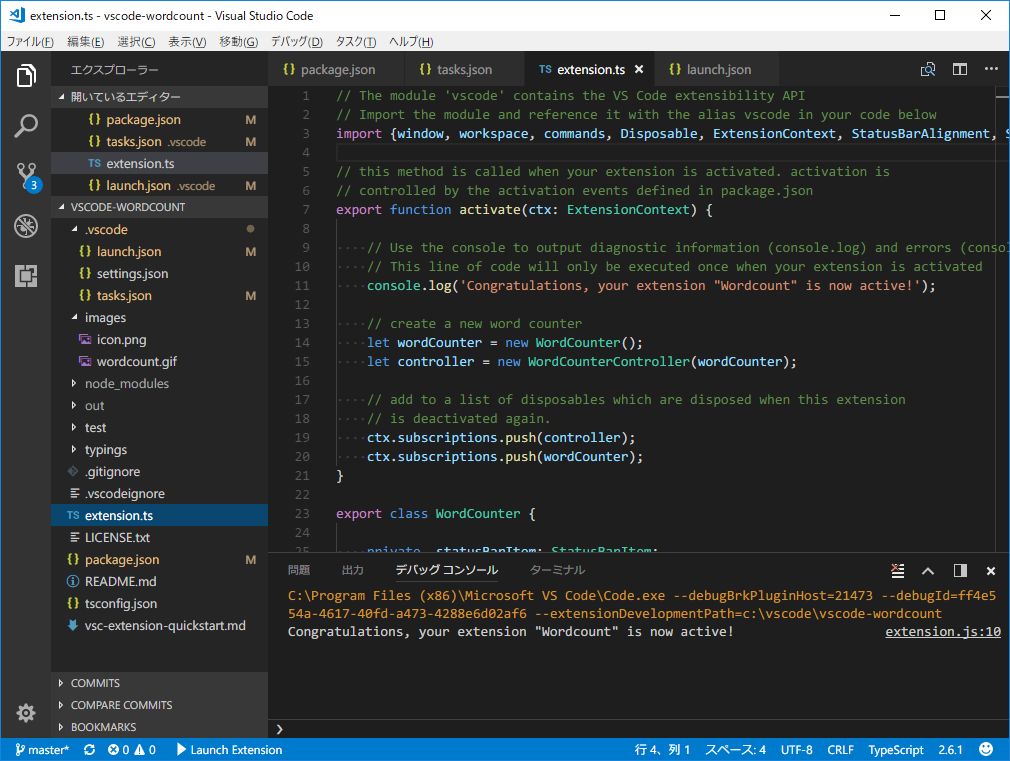
VS Code remains the world's most popular code editor, but Antigravity is "beating VS Code at its own game" by adding agent-first capabilities to the familiar interface.
Similarities:
- Both built on the same Electron foundation
- Similar UI/UX and keyboard shortcuts
- Compatible with many VS Code extensions
- Excellent Git integration
Key Differences:
- Antigravity: Agent-first with autonomous AI capabilities
- VS Code: Traditional editor, AI extensions are assistive only
- Antigravity: Built-in Agent Manager and Browser surfaces
- VS Code: Requires separate tools for testing and browser automation
Best for VS Code: Developers who prefer full manual control, those with established extension workflows, enterprise teams with VS Code standardization.
Best for Antigravity: Developers embracing AI-native workflows, solo developers needing to multiply output, projects with heavy testing requirements.
Antigravity vs Cursor
Cursor is Antigravity's closest competitor—both are VS Code forks with advanced AI capabilities.
Cursor Advantages:
- More polished, stable user experience
- Proprietary Composer model optimized for coding
- Tasks complete in ~30 seconds on average
- Up to 8 parallel agents using git worktrees
- Deep repository indexing for context-aware suggestions
Antigravity Advantages:
- True mission control with Agent Manager interface
- Browser automation built-in, not bolted on
- Artifact generation for transparency
- Multi-model support (Gemini, Claude, GPT)
- Free during preview period
According to Medium's comparison, "Cursor augments manual coding. Antigravity automates whole development tasks. That single distinction matters more than any feature checklist."
The Verdict: "Cursor still wins on reliability and UI smoothness. Antigravity wins on agent autonomy and depth of integration." Many professional developers use both: Cursor for production builds, Antigravity for experimentation and greenfield prototypes.
Antigravity vs JetBrains IDEs
JetBrains tools like IntelliJ IDEA, PyCharm, and WebStorm offer powerful language-specific features with their AI Assistant plugin.
JetBrains Advantages:
- Superior language-specific intelligence
- Advanced refactoring tools
- Professional debugging capabilities
- Enterprise features and support
Antigravity Advantages:
- Multi-language without separate IDEs
- Agent-first automation capabilities
- Browser integration for testing
- Free access during preview
Best for JetBrains: Professional teams with language-specific needs, enterprise environments requiring support contracts, developers who value mature debugging tools.
Best for Antigravity: Full-stack developers working across languages, teams experimenting with AI-native workflows, developers on tight budgets.
Antigravity vs GitHub Copilot
GitHub Copilot focuses on inline code completion and chat-based assistance within your existing IDE.
Copilot Advantages:
- Works in any IDE (VS Code, JetBrains, Vim, etc.)
- Extremely fast inline completions
- Tight GitHub integration
- Enterprise compliance and security
Antigravity Advantages:
- Complete autonomous workflows, not just completions
- Agent Manager for parallel tasks
- Browser testing automation
- Multi-model support
The Comparison: Copilot is a powerful assistant. Antigravity is an autonomous development platform. They serve different needs in the AI coding spectrum.
Getting Started with Google Antigravity
Download and Installation
macOS
- Visit antigravity.google/download and click "Download for Apple Silicon" (or Intel)
- Open the downloaded .dmg file (approximately 150-200MB)
- Drag the Antigravity icon to your Applications folder
- Click "Open" if macOS displays a security warning
- Launch Antigravity and sign in with your Google Account
- Wait 2-3 minutes for workspace initialization
Windows
- Download the .exe installer from antigravity.google/download
- Double-click the file. If Windows Defender shows a warning, click "More info" then "Run anyway"
- Choose installation path (default: C:\Program Files\Google\Antigravity)
- Click "Install" and wait 3-5 minutes
- Launch from Start Menu and sign in with your Google Account
Linux
Supported distributions include Ubuntu 20.04+, Fedora 34+, and Arch Linux.
- Visit antigravity.google/download/linux
- Download the appropriate .deb or .tar.gz file
- For .deb:
sudo dpkg -i antigravity.deb - For .tar.gz: Extract and run the binary directly
- Launch and sign in with your Google Account
Initial Setup
According to Google's official tutorial:
- Import Settings: On first launch, you can import settings from VS Code or Cursor
- Select AI Model: Choose your preferred model (Gemini 3 Pro, Claude, or GPT) from the status bar
- Install Browser Extension: For browser automation, install the Antigravity Chrome extension when prompted
- Create First Workspace: Open the Agent Manager and create a local workspace for your project
Your First Agent Task
Tutorial recommendations suggest starting with a simple full-stack application:
- Open Agent Manager
- Create a new agent with a clear task description: "Build a simple Todo app with React frontend and localStorage persistence"
- Review the implementation plan artifact the agent generates
- Approve the plan and watch the agent work
- Observe the browser testing to see validation
- Review the code and artifacts
Learning Resources
Google provides several resources for mastering Antigravity:
- Official Documentation: antigravity.google/docs
- Video Tutorials: Step-by-step guides on the Google Developers YouTube channel
- Community Forums: Reddit's r/AntigravityIDE and official Discord
- GitHub Examples: Sample projects and templates
- Interactive Codelabs: hands-on tutorials
Detailed Workflows and Best Practices
Effective Prompting for Agents
According to tips and tricks guides, successful agent prompts should:
Be Specific About Requirements:
- Bad: "Build a website"
- Good: "Build a Next.js 14 website with dark mode toggle, responsive navigation, and a contact form using React Hook Form and Zod validation"
Include Technical Constraints:
- "Use TypeScript with strict mode"
- "Follow Airbnb style guide"
- "Ensure accessibility with ARIA labels"
- "Support both iOS Safari and Chrome"
Define Success Criteria:
- "The form should validate email format and show inline errors"
- "The app should load in under 2 seconds on 3G"
- "All components must have unit tests with >80% coverage"
Managing Multiple Agents
In Manager View, effective coordination requires:
- Isolate Tasks: Give each agent a clearly scoped, independent task
- Monitor Progress: Check artifacts regularly to catch issues early
- Prioritize Critical Path: Assign your most complex task to the first agent
- Review Before Merging: Test agent outputs in isolation before combining
Safe Experimentation
Given the documented safety concerns, best practices include:
- Use Git branches: Never run agents on your main branch
- Enable confirmations: Configure Antigravity to ask before destructive operations
- Sandbox environments: Consider using Docker containers for agent execution
- Regular commits: Commit working code frequently so you can easily revert
- Review artifacts: Always review implementation plans before approving agent execution
Pros and Cons of Google Antigravity IDE
Pros
Revolutionary Agent-First Architecture: Antigravity is the first mainstream IDE designed from the ground up for autonomous AI agents, not retrofitted.
True Parallel Execution: The Agent Manager enables running multiple agents simultaneously, multiplying developer productivity in ways no other tool offers.
Browser Testing Automation: Built-in browser automation means agents can validate their own work, catching bugs earlier in the development cycle.
Artifact Transparency: Visible implementation plans, browser recordings, and detailed artifacts build trust and make AI work auditable.
Multi-Model Support: Freedom to choose between Gemini 3, Claude Sonnet 4.6, and GPT-OSS for different tasks without changing tools.
Free During Preview: No cost barrier for individual developers, students, and open-source contributors.
Massive Context Windows: Gemini 3's 2M token context enables understanding entire codebases rather than isolated files.
Cross-Platform: Works identically on macOS, Windows, and Linux with native performance.
Cons
Experimental Status: As a preview product, Antigravity could theoretically be discontinued, and the interface may change significantly.
Learning Curve: The agent-first paradigm requires rethinking development workflows, which takes time to master.
Safety Concerns: Documented cases of agents executing destructive commands highlight the need for careful oversight.
Performance Can Be Inconsistent: Some users report agents occasionally getting stuck or producing suboptimal solutions.
Limited Enterprise Features: No SOC 2 compliance, IP indemnification, or zero-retention guarantees during preview.
Less Polished Than Competitors: Cursor and traditional IDEs offer more refined UX in some areas.
Requires Strong Internet: Heavy reliance on cloud AI models means poor performance offline or on slow connections.
Future Pricing Uncertainty: While currently free, eventual pricing could be prohibitive for some users.
The Future of Google Antigravity and AI Coding
What's Coming Next
Based on Google's developer blog and industry analysis, likely developments include:
Extended Autonomous Coding: Current agents work autonomously for hours. Future versions may handle week-long development sprints with minimal intervention.
Team Collaboration Features: Multi-developer agent coordination, shared agent pools, and collaborative artifacts.
Enterprise Readiness: SOC 2 compliance, advanced security controls, and IP protection guarantees.
Specialized Agent Types: Dedicated agents for specific tasks like security auditing, performance optimization, or accessibility testing.
Improved Cost Efficiency: As Gemini 3 models optimize, costs should decrease while capabilities increase.
The Broader Shift in Development
According to industry analysis from GetPassionFruit, professional developers increasingly adopt multi-model workflows rather than committing to single providers.
Antigravity fits this trend by:
- Supporting multiple AI models within one interface
- Enabling rapid switching between models for different tasks
- Providing a consistent development environment regardless of underlying AI
The future likely involves developers orchestrating multiple AI agents—some from Google, some from Anthropic, some from OpenAI—each specialized for specific tasks, all coordinated through platforms like Antigravity.
Conclusion: Is Google Antigravity Right for You?
Google Antigravity IDE represents a genuine paradigm shift in software development. It's not an incremental improvement over existing tools—it's a fundamental reimagining of how code gets written.
You should try Antigravity if you:
- Want to multiply your development throughput through parallel agents
- Build full-stack applications that benefit from automated browser testing
- Work across multiple programming languages and frameworks
- Value transparency through artifacts and implementation plans
- Are comfortable with cutting-edge tools that may have rough edges
- Want free access to state-of-the-art AI coding capabilities
You should stick with alternatives if you:
- Require enterprise compliance and guaranteed SLAs
- Prefer proven, stable tools over experimental platforms
- Need language-specific IDE features (JetBrains) or just inline assistance (Copilot)
- Work primarily offline or on slow internet connections
- Want the most polished UX (Cursor currently leads here)
For most developers, the ideal approach is experimenting with Antigravity for greenfield projects, prototypes, and learning, while maintaining traditional tools for production work—at least until Antigravity reaches general availability with enterprise features.
The agent-first future of coding is here. Google Antigravity is leading the way.
Try Google Antigravity IDE Free →
Looking for a unified platform to access Google's Gemini alongside Claude, GPT, and other leading AI models? Metir AI provides multi-model access with meeting transcription, image generation, and more—all in one place.
Sources
- Build with Google Antigravity, our new agentic development platform - Google Developers Blog
- Google Antigravity IDE - Free AI-Powered Development Platform
- A first look at Google's new Antigravity IDE | InfoWorld
- Google Antigravity: Everything You Need to Know for 2026 - Geeky Gadgets
- Google Antigravity Review: Hands-On With Google's New AI Coding Agent - Cybernews
- Google Antigravity vs Cursor 2.0: Which AI-Agent Editor Is Best for You? - Apidog
- Cursor vs Google AntiGravity: Best AI IDE for Vibe Coders? - Medium
- Getting Started with Google Antigravity - Google Codelabs
- Is Google Antigravity Free to Use? Pricing, Limits, and What Developers Should Expect - Data Studios
- Google's Antigravity beats VS Code at its own game - XDA Developers
Image credits
Header image: a Google campus sign in Mountain View, California, by brionv via Wikimedia Commons, licensed under CC BY-SA 2.0. In-body screenshot of Visual Studio Code 1.18.1, by Microsoft via Wikimedia Commons, licensed under the MIT licence.