
If you've ever wished you could bring Google's powerful Gemini AI directly into your terminal—where you spend most of your development time—your wish has been granted. In 2025, Google launched Gemini CLI, an open-source AI agent that transforms your command line into an intelligent workspace for coding, automation, research, and so much more.
But here's what makes Gemini CLI truly remarkable: it's completely free for individual developers. With just a Google account, you get access to Gemini 3 Pro with a massive 1 million token context window—enough to analyze entire codebases at once—at absolutely no cost. This isn't a limited trial or a stripped-down version; it's the full power of Google's most advanced AI, available right in your terminal.
What is Gemini CLI?
Gemini CLI is Google's open-source AI agent that brings the power of Gemini directly into your terminal. Unlike web-based AI assistants that require constant context-switching, Gemini CLI is a terminal-native solution that can directly interact with your local file system, execute commands, and maintain rich context across your entire development workflow.
At its core, Gemini CLI uses a reason and act (ReAct) loop with built-in tools to complete complex tasks. According to Google's official documentation, this architecture enables it to analyze situations, choose appropriate tools, and execute multi-step workflows autonomously—making it feel less like a chatbot and more like an intelligent assistant that understands developer workflows.
The Technology Behind Gemini CLI
What sets Gemini CLI apart is its 1 million token context window—roughly 750,000 words of text. As DataCamp's comprehensive tutorial explains, this enormous context capacity means Gemini CLI can analyze entire codebases at once without losing track of important details. Compare this to traditional AI tools with 8K or 16K token limits, and you'll understand why developers are calling this a game-changer.
In December 2024, Google integrated Gemini 3 Pro, their most intelligent model, directly into Gemini CLI. According to the Google Developers Blog, this update delivers state-of-the-art reasoning for executing better commands, enhanced support for complex engineering work through agentic coding, and smarter workflows via advanced tool use.
Why Gemini CLI is a Game-Changer
Free Access to Premium AI
With just a personal Google account, you get access to:
- Gemini 3 Pro
- 1 million token context window
- 60 requests per minute
- 1,000 requests per day
- Zero cost
This generous free tier, as highlighted in Google's announcement, makes professional-grade AI accessible to every developer, student, and researcher—no credit card required.
Built-in Tools for Real Productivity
Gemini CLI comes with powerful built-in tools that work out of the box:
- Google Search grounding for accessing current information
- File operations (ReadFile, WriteFile, ReadFolder, FindFiles)
- Shell commands for executing terminal operations
- Web fetching for pulling content from URLs
- Text search (SearchText with grep-like capabilities)
- Todo management (WriteTodos for task tracking)
- Memory saving (SaveMemory for persistent context)
These aren't just theoretical features—they're production-ready tools that developers use daily to automate workflows.
Open Source and Extensible
Gemini CLI is fully open source under Apache 2.0 license, meaning you can inspect the code, contribute improvements, and customize it to your needs. Plus, it supports Model Context Protocol (MCP) for adding custom integrations, as detailed in the official documentation.
Coding Use Cases: Where Gemini CLI Excels
1. Code Generation and Prototyping
Gemini CLI generates production-quality code from natural language descriptions. According to Real Python's in-depth guide, you can describe what you want in plain English, and Gemini produces working code that fits your existing patterns.
Example: "Create a REST API endpoint for user authentication with JWT tokens and rate limiting" produces not just the endpoint code, but proper error handling, security considerations, and documentation—all aligned with your project's existing architecture.
2. Automated Testing and Documentation
As Google Codelabs demonstrates, you can prompt "Write comprehensive unit tests for Login.js with edge cases" and Gemini CLI will:
- Analyze your existing code structure
- Generate tests with proper assertions
- Cover edge cases and error scenarios
- Follow your project's testing conventions
The same capability extends to documentation generation. Point Gemini CLI at your codebase and ask for API documentation, and it produces comprehensive, accurate documentation without you writing a single docstring manually.
3. Debugging and Code Analysis
Gemini CLI can leverage available linters and analysis tools automatically. According to hands-on tutorials, it might detect that you have Ruff installed as a dependency and use it proactively to identify code quality issues.
With its massive context window, Gemini CLI can analyze complex bugs across multiple files, trace execution flows, and suggest targeted fixes—all while understanding the broader context of your application architecture.
4. Refactoring and Migration
Need to migrate from one framework to another? Gemini CLI excels at code transformation tasks. Its ability to understand entire codebases means it can perform intelligent refactoring while maintaining functionality and consistency across hundreds of files.
5. GitHub Integration and Workflow Automation
As outlined in developer use cases, Gemini CLI can:
- Analyze GitHub issues and propose implementation plans
- Review pull requests with context-aware feedback
- Generate release notes from commit history
- Create comprehensive security audits by identifying vulnerabilities
Non-Coding Use Cases: Beyond Development
While Gemini CLI excels at coding, its capabilities extend far beyond software development.
1. Research and Information Gathering
With built-in Google Search grounding and web fetching, Gemini CLI becomes a powerful research assistant. Ask it to "Summarize recent developments in quantum computing from the last 6 months," and it fetches current information, synthesizes findings, and delivers a comprehensive brief—all without leaving your terminal.
2. File Organization and Management
Gemini CLI can intelligently organize your file system. According to Google's official use cases, you can prompt "Organize these project files into logical folders by type and function" and watch as Gemini categorizes, creates directories, and moves files based on content understanding—not just file extensions.
3. Data Processing and Analysis
Working with CSV files, JSON data, or log files? Gemini CLI can combine datasets, clean data, extract insights, and generate reports. A practical example from tutorials shows combining revenue files from multiple years into a single consolidated dataset with automated analysis.
4. Content Creation and Writing
Need to draft reports, create presentations, or generate documentation? Gemini CLI's multimodal capabilities allow it to work with various formats. According to the official documentation, it can:
- Generate professional Excel spreadsheets with formulas
- Create PowerPoint presentations
- Draft Word documents
- Produce fillable PDFs
5. Workflow Automation
Perhaps most powerfully, Gemini CLI enables scriptable automation. As documented in automation guides, you can invoke Gemini CLI non-interactively within scripts using the -p parameter, enabling scheduled tasks, on-demand workflows, and integration with existing CI/CD pipelines.
6. Shell Command Translation
According to the Google Developers Blog, Gemini 3 Pro brings unprecedented command-line power: "No need to memorize obscure syntax and every flag of UNIX commands—simply have Gemini 3 Pro translate your intent and execute it for you."
Want to find all JavaScript files modified in the last week containing a specific function? Just describe what you need in natural language, and Gemini generates the perfect command.
Getting Started with Gemini CLI
Installation
Installing Gemini CLI is straightforward. According to official installation guides, you need Node.js 18 or later, then simply run:
npm install -g @google/gemini-cli
Alternatively, you can run without installation using:
npx @google/gemini-cli
If you're using Google Cloud Shell, Gemini CLI is already pre-installed—just type gemini to start.
Authentication
When you first launch Gemini CLI by typing gemini in your terminal, you'll be prompted to authenticate. As detailed in setup tutorials, simply:
- Select "Login with Google" for the free tier
- Complete the browser authentication
- Start using Gemini CLI immediately
That's it—no API keys to manage, no complex configuration.
Customization with GEMINI.md
One of Gemini CLI's most powerful features is project-specific customization through GEMINI.md files. According to Medium's practical guide, create a GEMINI.md file in your project root to define:
- Project-specific rules and conventions
- Code styles and formatting preferences
- Preferred tools and workflows
- Custom instructions for your domain
Gemini CLI automatically loads this context, ensuring every interaction is aligned with your project's standards.
Advanced Features for Power Users
Model Context Protocol (MCP) Integration
MCP is an open standard that allows developers to add custom tools and capabilities. As documented in configuration guides, you can configure MCP servers in a JSON settings file, and Gemini CLI treats them as additional built-in tools.
This means you can extend Gemini CLI with:
- Custom database connections
- Proprietary internal tools
- Specialized analysis capabilities
- Third-party integrations
Headless Mode for Automation
For scripting and automated workflows, Gemini CLI supports headless mode. Pass prompts directly via command-line parameters to integrate AI capabilities into existing automation pipelines, as explained in automation documentation.
Multimodal App Prototyping
According to Google's feature announcements, Gemini CLI can quickly generate app prototypes from PDFs or sketches, integrate with media generation models like Imagen and Veo through MCP servers, and create full-screen web applications for data visualization.
Gemini CLI vs. Other AI Coding Tools
While GitHub Copilot focuses on inline code completion and ChatGPT requires web-based interaction, Gemini CLI offers a unique combination of:
- Terminal-native workflow that fits naturally into developer environments
- Massive context window that understands entire codebases
- Direct file system access for real automation
- Free access to premium AI capabilities
- Open source for transparency and customization
This positions Gemini CLI as a complementary tool to other AI assistants, particularly for developers who live in the terminal and need AI that understands complex, multi-file contexts.
The Future of AI in Your Terminal
Gemini CLI represents a fundamental shift in how developers interact with AI. Instead of context-switching between your IDE, browser, and terminal, you now have powerful AI assistance directly where you work—with the intelligence to understand your entire project, execute complex workflows, and learn from your processes.
As AI capabilities continue advancing, tools like Gemini CLI that bring that intelligence directly into developer workflows will become indispensable. The combination of free access, open-source transparency, massive context windows, and extensibility through MCP creates a platform that will only grow more powerful as the ecosystem develops.
Access Multiple AI Models Through Metir AI
While Gemini CLI is powerful for terminal-based workflows, many professionals need access to multiple AI models for different tasks. Metir AI provides unified access to Gemini alongside ChatGPT, Claude, Grok, and Perplexity—all in one platform.
This multi-provider approach ensures you can use Gemini CLI for terminal work while maintaining access to Claude's reasoning capabilities, GPT-5.4's versatility, and Perplexity's real-time research—without juggling multiple subscriptions or switching between different interfaces.
Conclusion
Gemini CLI is more than just another AI coding assistant—it's a glimpse into the future of development workflows where AI understands your entire project context, executes complex tasks autonomously, and integrates seamlessly into your existing tools and processes.
With free access to Gemini 3 Pro, a 1 million token context window, built-in tools for common development tasks, and MCP extensibility for custom capabilities, Gemini CLI delivers professional-grade AI assistance at zero cost.
Whether you're debugging complex systems, automating workflows, generating documentation, organizing files, or researching new technologies, Gemini CLI brings Google's most advanced AI directly to your terminal—where developers do their best work.
The best way to understand Gemini CLI's capabilities is to experience them firsthand. Install it today, authenticate with your Google account, and discover how AI-powered terminal assistance transforms your productivity.
Ready to explore Gemini CLI and other cutting-edge AI tools? Try Metir AI for unified access to Gemini, Claude, ChatGPT, and more—all in one powerful platform.
Image credits
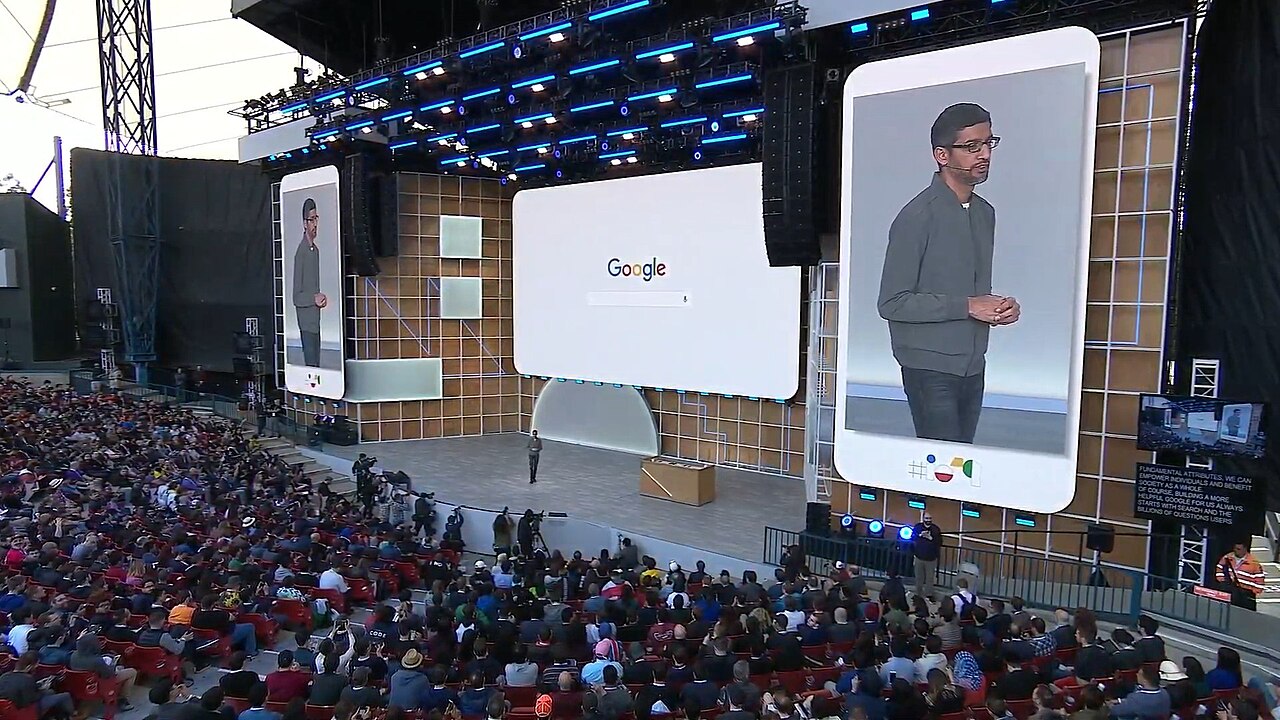
Header image: Google's headquarters building in Mountain View, California, by Asoundd via Wikimedia Commons, licensed under CC BY-SA 4.0. In-body photograph of the Google I/O 2019 keynote, by Alexander Shcherbakov via Wikimedia Commons, licensed under CC BY-SA 3.0.