In late 2024, Anthropic launched Claude Code, fundamentally changing how developers and professionals interact with AI. Unlike traditional code completion tools or chat interfaces, Claude Code is an agentic AI assistant that lives directly in your terminal, understands entire codebases, and autonomously executes multi-step workflows—all through natural language commands.
Whether you're a seasoned developer looking to accelerate your workflow or a non-technical professional seeking to automate repetitive tasks, Claude Code represents a paradigm shift in how AI can assist with your work. In this comprehensive guide, we'll explore what Claude Code is, why it matters, and how both developers and non-developers are using it to transform their daily workflows in 2026.
What is Claude Code?
Claude Code is an agentic coding tool that operates directly in your terminal, providing close to raw model access without forcing specific workflows. Developed as a research project by Anthropic engineers, Claude Code gives users a more native way to integrate Claude's powerful language models into their coding and automation workflows.
The key word here is "agentic." Unlike simple code completion tools that suggest the next line, Claude Code operates autonomously in a feedback loop: gather context → take action → verify work → repeat. This means Claude Code doesn't just suggest code—it writes files, runs commands, creates commits, and handles entire workflows with minimal human intervention.
Core Architecture and Design Philosophy
According to Anthropic's engineering blog, Claude Code is intentionally low-level and unopinionated. This design philosophy creates a flexible, customizable, scriptable, and safe power tool that meets developers where they already work—in the terminal, with the tools they already love.
Claude Code inherits your bash environment, giving it access to all your tools, package managers (npm, pip, cargo, etc.), environment variables, and installed software. It has comprehensive access to your entire development setup: your file system, git repositories, project configuration files, dependencies, and version control system.
Key Capabilities
Direct Action Execution: Claude Code can directly edit files, run commands, execute tests, and create commits—all through natural language instructions.
Codebase Understanding: By scanning and analyzing your entire project structure, Claude Code develops deep contextual understanding of your codebase, enabling it to make informed decisions about where and how to make changes.
Git Integration: Claude can effectively handle many git operations, with many Anthropic engineers using Claude for 90%+ of their git interactions. It can read issues, write code, run tests, and submit pull requests—all from the terminal.
Multi-File Editing: The June 2025 release included multi-file editing capabilities with dependency-aware editing across multiple files, enabling Claude Code to handle complex refactoring and feature implementations that span your entire codebase.
Model Context Protocol (MCP) Support: MCP integration lets Claude read your design docs in Google Drive, update tickets in Jira, or use your custom developer tooling, extending Claude Code's capabilities far beyond just code editing.
Why Claude Code Matters: The Agentic Difference
What sets Claude Code apart from traditional AI coding assistants like GitHub Copilot or Cursor is its agentic approach. As AI research analysts explain, by October 2025, AI coding assistants had bifurcated into two philosophies: IDE-first copilots that augment your editor line by line, and agentic systems that plan and execute multi-step changes with human checkpoints.
Claude Code embodies the latter philosophy. Instead of providing inline suggestions that you must integrate manually, Claude Code autonomously executes entire workflows, making it feel like pairing with a careful junior engineer who drafts a plan and diffs for your review.

The Context Window Advantage
Claude Code offers the largest context window at 200,000 tokens with output capacities up to 128,000 tokens. This enables Claude to analyze entire service implementations, understand complex architectural patterns, and make informed decisions that consider your entire codebase rather than just the current file.
Headless Mode and Scriptability
One of Claude Code's most powerful features is its composability. Claude Code is scriptable, meaning you can integrate it into larger workflows. For example: tail -f app.log | claude -p "Slack me if you see any anomalies appear in this log stream" works seamlessly.
The headless mode (claude -p) integrates Claude Code programmatically into CI/CD pipelines, pre-commit hooks, build scripts, and automation workflows. This transforms Claude Code from an interactive assistant into a powerful automation platform.
Coding Use Cases: How Developers Use Claude Code
1. Autonomous Feature Development
Claude Code excels at transformative work like refactors and feature implementation that require deep codebase understanding. Developers can describe a feature in natural language, and Claude Code will:
- Scan the codebase to understand existing patterns
- Plan the implementation across multiple files
- Write the necessary code with proper error handling
- Create appropriate tests
- Run the test suite to verify functionality
- Create a git commit with a descriptive message
2. Debugging and Error Resolution
When errors occur, Claude Code can analyze stack traces, identify root causes, examine related code, propose fixes, implement changes, and verify the solution works—all autonomously. Many developers report that Claude Code has become their primary debugging tool.
3. Code Review and Refactoring
Claude Code's ability to understand entire codebases makes it invaluable for code reviews. It can identify code smells, suggest architectural improvements, refactor code to follow best practices, ensure consistency across the codebase, and update documentation to reflect changes.
The multi-file editing capabilities introduced in June 2025 make large-scale refactoring particularly powerful, with dependency-aware editing and stepwise checkpoints that reduce risk.
4. Documentation Generation
Claude Code can analyze your codebase and automatically generate comprehensive API documentation, write inline comments explaining complex logic, create README files with setup instructions, and produce architectural diagrams and explanations—all matching your project's documentation standards.
5. Test Writing and Coverage
Writing comprehensive tests becomes significantly faster with Claude Code. It can analyze functions and generate corresponding unit tests, create integration tests for complex workflows, achieve comprehensive test coverage automatically, and ensure tests follow your team's testing patterns.
6. Migration and Upgrades
Large migrations or analyses become manageable through the "fanning out" pattern, where Claude writes a script to generate a task list and loops through tasks programmatically. This is particularly useful for dependency upgrades, API migrations, or codebase modernization efforts.
7. Git Workflow Automation
Claude Code integrates with GitHub, GitLab, and command line tools to handle entire workflows—reading issues, writing code, running tests, and submitting pull requests—all from your terminal. Many Anthropic engineers report using Claude for 90%+ of their git interactions.
Non-Coding Use Cases: Beyond Software Development
One of Claude Code's most surprising aspects is how useful it is for non-developers. As one user discovered, "Claude Code just replaced 10 apps for me" by automating tasks that previously required dedicated software or developer resources.
1. File Organization and Management
Users report Claude Code excels at:
- Cleaning up and categorizing download folders
- Organizing folders and renaming files based on content
- Identifying large files consuming disk space
- Reorganizing photo libraries with intelligent naming
- Categorizing and re-arranging bookmarks
As one user put it: "It's like having a thoughtful assistant who actually understands context and can make smart decisions about file organization."
2. Data Processing and Analysis
Claude Code can process CSV files with hundreds of rows, identify patterns and anomalies, transform data between formats, generate reports and visualizations, and clean and standardize datasets—all through simple natural language commands.
Anthropic's Growth Marketing team built an agentic workflow that processes CSV files with hundreds of ads, identifies underperformers, and generates new variations within strict character limits—a task that would traditionally require dedicated developer resources.
3. Document Processing and Conversion
Users leverage Claude Code for:
- Converting documents between formats (PDF to Word, Markdown to HTML, etc.)
- Extracting data from PDFs into structured formats
- Batch processing documents with consistent formatting
- Generating reports from multiple source documents
- Translating documents while preserving formatting
4. Media File Management
One user reported: "I'm working with multiple audio files. I use Claude Code to manipulate them, convert the sample rates, rename them, and translate them from Portuguese to English."
Claude Code can handle video and audio format conversions, batch image resizing and optimization, metadata management for media libraries, and automated subtitle generation and translation.
5. Custom Automation Without No-Code Tools
Instead of paying for Zapier or other automation platforms, users build custom automations with Claude Code. Unlike no-code tools, you're not limited by pre-built integrations—Claude Code can connect any APIs and build custom workflows tailored to your exact needs.
6. Research and Content Organization
Researchers use Claude Code to:
- Organize research papers and extract key insights
- Create structured bibliographies from unorganized sources
- Analyze survey data and generate summary reports
- Manage large collections of research materials
- Extract and categorize quotes from multiple documents
7. Business Process Automation
According to industry analysts, "Claude Code functions as a universal automation assistant that cleans data, organizes files, manages research, processes documents, and handles business workflows—with simple natural-language commands."
Business professionals use it for expense report processing, invoice data extraction, customer feedback analysis, competitive intelligence gathering, and meeting transcript processing.
How to Get Started with Claude Code
Installation
Installing Claude Code is straightforward across all platforms:
macOS: brew install --cask claude-code
Windows: irm https://claude.ai/install.ps1 | iex
NPM (all platforms): npm install -g @anthropic-ai/claude-code
If installing with NPM, you'll also need Node.js 18 or higher.
Access Requirements
You can access Claude Code with:
- A Claude Pro or Max plan
- A Team or Enterprise plan premium seat
- A Claude Console account
Claude Code works with the Opus 4.6, Sonnet 4.6, and Haiku 4.5 models. Enterprise users can run Claude Code using models in existing Amazon Bedrock or Google Cloud Vertex AI instances.
IDE Integration
While Claude Code excels in the terminal, native extensions are available for VS Code, VS Code forks like Cursor and Windsurf, and JetBrains IDEs. These extensions let you run Claude Code directly in your IDE and see changes as visual diffs.
Learning Resources
Anthropic offers comprehensive courses to integrate Claude Code into your workflow. The DataCamp tutorial and Codecademy guide provide excellent practical examples for getting started.
Claude Code vs. Other AI Coding Tools
Understanding where Claude Code fits in the AI coding tool landscape helps you choose the right tool for your needs.
Claude Code vs. GitHub Copilot
GitHub Copilot is the most widely used AI coding assistant, with backing from Microsoft and GitHub. By 2025, Copilot integrates with multiple language models including GPT-4o, Claude 3.5 Sonnet, and Gemini 3 Flash.
GitHub Copilot is best for quick completions and routine tasks, offering inline suggestions that speed day-to-day editing. It's affordable (starting at $10/month) with seamless GitHub integration and a practical 8K token context window.
Claude Code excels at complex refactoring and multi-file changes, with its 200K token context window enabling analysis of entire service implementations. It feels like pairing with a thoughtful engineer who drafts plans for your review.
GitHub's official research documents a 55% productivity improvement when developers use Copilot, completing coding tasks in 1 hour and 11 minutes compared to 2 hours and 41 minutes without AI assistance. Claude Code users report even greater time savings on complex, multi-file tasks.
Claude Code vs. Cursor
Cursor is an AI-powered fork of Visual Studio Code built by Anysphere, valued at $9.9 billion as of 2025. Cursor excels particularly with JavaScript, TypeScript, and modern web frameworks, offering project-aware features that work well with established patterns.
Cursor is best for teams dealing with large codebases or complex projects, with proactive features particularly suited to React, Next.js, and similar web technologies. It costs $20/month for the Pro tier.
Claude Code offers superior flexibility through its terminal-first, unopinionated approach, enabling scriptability and integration into existing workflows that Cursor cannot match. The headless mode capabilities make Claude Code the clear choice for automation and CI/CD integration.
Best Practices for Using Claude Code
Based on Anthropic's engineering team's recommendations:
1. Leverage the Agentic Workflow
Trust Claude Code's gather context → take action → verify work → repeat cycle. The tool is designed to work autonomously, so resist the urge to micromanage every step.
2. Use Descriptive Prompts
While Claude Code is powerful, it benefits from clear, descriptive prompts. Instead of "fix the bug," try "analyze the authentication error in the login flow and implement a fix that handles edge cases."
3. Combine with MCP for External Data
MCP servers give Claude access to external systems, making the combination of Claude Code + MCP extremely powerful. Connect to your Notion workspace, GitHub repositories, or CRM system for enhanced capabilities.
4. Utilize Headless Mode for Automation
Integrate Claude Code into your CI/CD pipelines, pre-commit hooks, and build scripts using headless mode (claude -p) with --output-format stream-json for streaming JSON output.
5. Start Small, Scale Up
Begin with simple, well-defined tasks to understand how Claude Code operates, then gradually move to more complex workflows as you build confidence in the tool's capabilities.
The Future of AI-Assisted Development
Claude Code represents a fundamental shift from AI assistants that suggest code to AI agents that autonomously execute complex workflows. As industry analysts note, "Claude Code isn't about coding at all. It's about having an AI that manages your entire process—whatever the goal might be."
The July 2025 release brought Claude 4.6 model support with consistent high-quality output and enhanced project understanding for contextual grasp of large codebases. The September 29, 2025 launch of GitHub Actions integration as part of Claude Code 2.0 further cemented its position as a comprehensive development platform.
Looking ahead, Anthropic continues to enhance Claude Code's security features, including new sandboxing capabilities that enable filesystem and network isolation, reducing permission prompts while increasing user safety.
Access Claude Code Through Metir AI
Want to experience Claude Code's powerful capabilities without committing to a single AI provider? Metir AI gives you access to Claude—including Claude Code integration—alongside ChatGPT, Gemini, Grok, and Perplexity in one unified platform.
With Metir AI, you get the agentic coding capabilities of Claude Code, the reasoning power of GPT-5.4, the real-time knowledge of Perplexity, and the multimodal capabilities of Gemini—all in one place. This multi-provider approach ensures you can use the right AI for each task while avoiding platform lock-in.
Conclusion
Claude Code is more than just another AI coding assistant—it's a paradigm shift in how we interact with AI for both coding and non-coding tasks. Its agentic approach, massive context window, terminal-native design, and scriptability make it a powerful tool for developers seeking to accelerate complex workflows and professionals looking to automate repetitive tasks.
Whether you're debugging code, refactoring entire applications, organizing thousands of files, processing data at scale, or building custom automation workflows, Claude Code brings autonomous AI capabilities to your terminal, enabling productivity gains that were impossible just a few years ago.
The future of AI assistance isn't just better suggestions—it's autonomous agents that understand your entire context, execute multi-step workflows, and deliver results that previously required significant manual effort. That future is here today with Claude Code.
Ready to experience Claude Code and other cutting-edge AI models? Try Metir AI for unified access to Claude, ChatGPT, Gemini, Grok, and Perplexity—all in one powerful platform.
Sources
- Claude Code Overview - Anthropic Docs
- Claude Code: Best practices for agentic coding - Anthropic Engineering
- Claude Code - AI coding agent for terminal & IDE - Anthropic
- GitHub - anthropics/claude-code
- Claude Code Tutorial - DataCamp
- Agentic CLI Tools Compared - AIMultiple
- Claude Code Just Replaced 10 Apps for Me - Medium
- Everyone should be using Claude Code more - Lenny's Newsletter
- Claude Code vs GitHub Copilot (2025) - Skywork AI
- awesome-claude-code - GitHub
Image credits
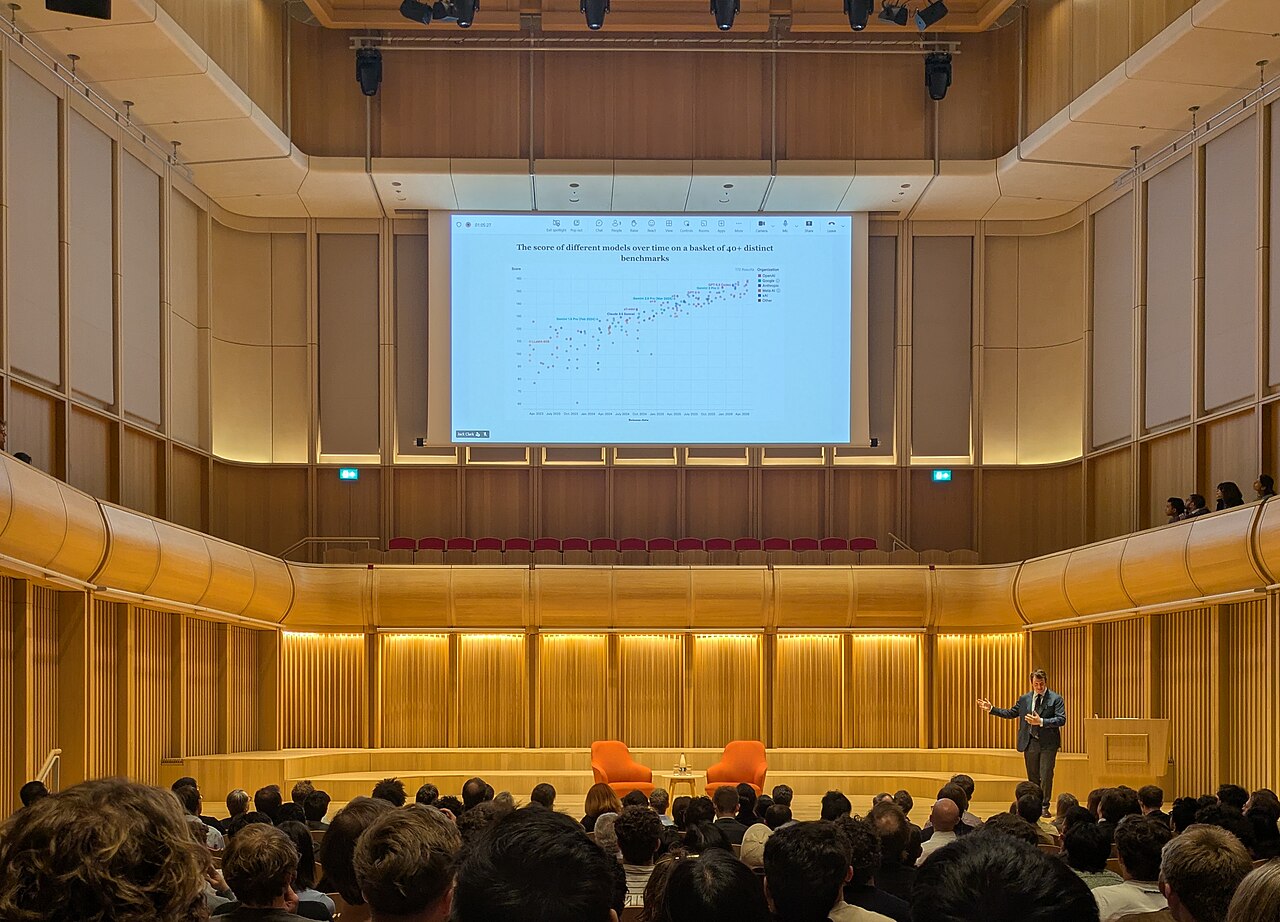
Header image: Anthropic co-founder Jack Clark giving a talk on AI progress at the Schwarzman Centre in Oxford, by Mvolz via Wikimedia Commons, released under CC0. In-body portrait of Dario Amodei by Simon Walker / No 10 Downing Street via Wikimedia Commons, licensed under CC BY 2.0.