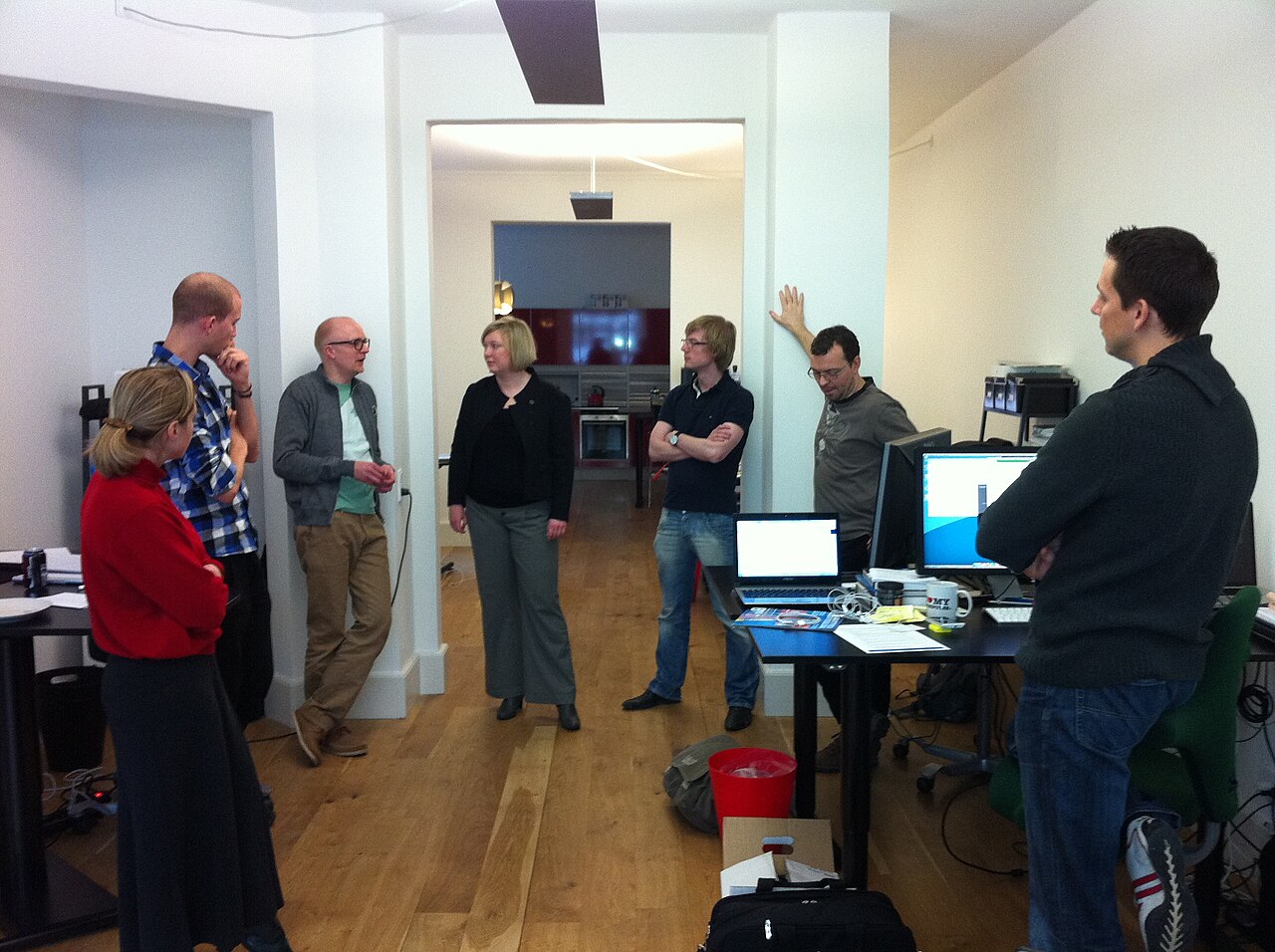
The modern professional spends an astonishing amount of time in meetings. According to recent research, senior managers dedicate nearly 23 hours per week to meetings, while 83% of employees spend up to one-third of their workweek in various discussions and conferences. Yet despite all this time invested, studies show that only 11% of meetings are considered productive.
The problem is not just the quantity of meetings, but what happens during them. Traditional note-taking creates an impossible choice: either you're fully present in the conversation, or you're frantically typing notes and missing critical context. You cannot do both well simultaneously.
This is where AI meeting note takers have revolutionized workplace productivity. These intelligent assistants can capture everything discussed, generate summaries, extract action items, and create searchable archives—all while allowing you to stay completely focused on the conversation. In 2026, using an AI meeting assistant is no longer a luxury; it is becoming essential for anyone serious about productivity and effectiveness.
The Meeting Productivity Crisis: Why Traditional Note-Taking Fails
Before diving into solutions, let us understand the magnitude of the problem. The statistics paint a sobering picture of meeting inefficiency.
Professionals waste approximately 31 hours in unproductive meetings each month. A shocking 71% report having their time wasted due to unnecessary or canceled meetings, and 67% of meetings outright fail to achieve their objectives. The financial impact is equally staggering: unproductive meetings cost U.S. businesses alone an estimated $37 billion annually.
Traditional note-taking exacerbates these problems in several ways. First, there is the attention problem. When you are typing notes, you miss body language, tone shifts, and subtle cues that provide critical context. Research shows that 92% of employees admit to multitasking during meetings—and note-taking is a primary culprit.
Second, accuracy suffers dramatically. Even the best note-takers capture only fragments of what was said, miss technical details, and often misattribute who said what. Important nuances, exact phrasing, and critical commitments get lost or misremembered.
Third, post-meeting friction drains productivity. After the meeting ends, someone has to clean up handwritten or fragmented notes, distribute them to attendees, and clarify what was actually decided. This creates hours of additional work that could be eliminated.
Finally, there is the knowledge loss problem. Notes stored in individual notebooks or scattered across email threads become unsearchable and inaccessible. When you need to recall what was discussed three months ago about a specific project, you are left searching through countless documents or relying on faulty memory.
These problems compound over time. As the number of meetings continues to rise—projected to increase by 34% by 2027—the inefficiency of traditional note-taking becomes increasingly unsustainable.
The Transformative Benefits of AI Meeting Note Takers
AI meeting assistants solve these problems while delivering benefits that go far beyond simple transcription.
Better, More Accurate Notes
AI captures every word spoken during a meeting with remarkable accuracy. Modern transcription systems achieve near-human accuracy even with technical jargon, accents, and overlapping speakers. You never have to worry about missing a critical detail because you were processing something said moments earlier.
These systems also provide proper speaker identification, clearly attributing statements to specific participants. This is invaluable for accountability and understanding who made commitments or raised concerns.
Stay Present and Engaged
Perhaps the most immediate benefit is the freedom to be fully present. When you trust that everything is being captured accurately, you can focus completely on the conversation. You can maintain eye contact, read body language, and engage deeply with the discussion rather than splitting attention between listening and typing.
This presence is not just about comfort—it makes you more effective. Research shows that AI analytics can boost engagement by up to 30%, as participants who are not distracted by note-taking contribute more meaningfully to discussions.
Automatic Summaries and Action Items
Modern AI meeting assistants do not just transcribe—they understand. They can automatically generate concise summaries highlighting key decisions, extract action items with assigned owners, and organize discussion topics for easy reference.
This transforms post-meeting workflow. Instead of spending 30 minutes reviewing and organizing notes, you receive a structured summary within moments of the meeting ending. Action items are clearly identified, making follow-up straightforward.
Searchable Meeting History
AI meeting tools create a searchable knowledge base of every discussion. Need to find what was decided about the Q3 marketing budget during that April strategy session? Simply search for "Q3 marketing budget" across all your meetings and find the exact moment it was discussed.
This capability becomes increasingly valuable over time as your meeting archive grows. What was once organizational knowledge trapped in scattered notes becomes instantly accessible information.
Improved Accountability
Clear records of who said what, who committed to what, and when decisions were made eliminate the ambiguity that often plagues meeting follow-ups. There is no more "I thought you were doing that" or disputes about what was actually decided.
This transparency improves team dynamics and ensures commitments are tracked and fulfilled.
Significant Time Savings
The time savings are substantial and compound across multiple dimensions. You save time during meetings by not having to type notes. You save time after meetings because summaries are automatically generated. You save time weeks later when you can instantly find information instead of searching through old notes.
According to industry research, organizations deploying AI meeting assistants can reduce meeting prep and follow-up time dramatically, freeing knowledge workers for higher-value tasks.
Better Follow-up for Absent Attendees
Team members who could not attend can quickly catch up by reviewing the summary and transcript rather than requiring a separate recap meeting or lengthy email explanation. This is particularly valuable for distributed teams across time zones.
The ability to share comprehensive, accurate meeting records also improves collaboration with external stakeholders, clients, or partners who were not present but need to understand what was discussed.
Comparing Top AI Meeting Note Takers: Features, Pricing, and Positioning
With the benefits clear, the question becomes: which AI meeting assistant is right for you? The market has matured significantly, with several strong options offering different strengths. Let us examine the leading platforms in detail.
Metir AI: The Unified Multi-Model Platform with Chat Integration
Metir AI takes a distinctive approach by combining AI meeting notes with a comprehensive chat platform, creating an integrated workspace that goes far beyond simple transcription.
Pricing: Start completely free with competitive paid tiers that undercut single-provider AI subscriptions.
Pros:
- Start for FREE: No credit card required, making it easy to try the full platform without commitment
- Chat with Your Meeting Notes: The standout feature—ask questions about what was discussed, get insights from past meetings, and interact with your meeting history conversationally
- Meeting Notes Integrated into ChatGPT-Style Chat: Seamless integration means your meeting knowledge becomes part of your AI-assisted workflow
- Access to Multiple Leading AI Models: ChatGPT, Claude, Gemini, Perplexity, and Grok—all available cheaper than a single ChatGPT subscription
- Unified Platform: One interface for meetings AND AI chat eliminates the need to juggle multiple tools
- Mobile Apps Available: Full-featured iOS and Android apps ensure access anywhere
- Privacy-Focused: Built with privacy-first architecture, keeping your sensitive meeting data secure
- Cross-Device Sync: Seamlessly switch between web and mobile with full conversation history
Cons:
- Newer to the market compared to established players like Otter or Fireflies (though rapidly improving)
- Still building out some integrations that competitors have had longer to develop
Unique Selling Point: Metir AI is the only platform that truly integrates meeting notes with multi-model AI chat. Rather than treating meeting transcription as a standalone feature, Metir makes your meeting history searchable and queryable through conversational AI. This creates a knowledge workspace where insights from meetings can be explored, summarized, and acted upon using the world's leading AI models.
Best For: Professionals who want a comprehensive AI solution combining meeting intelligence with access to multiple leading AI models like ChatGPT, Claude, and Gemini—all at a lower cost than separate subscriptions.
Otter.ai: The Established Transcription Leader
Otter.ai is one of the most recognizable names in AI meeting transcription, with a mature product and extensive features.
Pricing:
- Free Plan: 300 minutes per month, 30 minutes per conversation, 3 lifetime audio/video imports
- Pro Plan: $8.33/month (annual) or $16.99/month (monthly) - 1,200 minutes/month, 90 minutes per conversation
- Business Plan: $20/month (annual) or $40/month (monthly) - 6,000 minutes/month, 4-hour conversation limit
- Enterprise Plan: Custom pricing with advanced security and OtterPilot for sales teams
Pros:
- Real-time transcription with speaker identification
- Automatic integration with Zoom, Google Meet, and Microsoft Teams calendars
- Live transcription that participants can follow during meetings
- Keyword search and highlighting
- Available in English, French, and Spanish
- Generous free tier for testing
- Automatic filler word removal
Cons:
- Monthly minute caps can be restrictive for heavy meeting schedules (1,200 minutes on Pro = 20 hours)
- Subscription costs regardless of actual usage
- AI summaries limited to 5 per month on free plan
- No mobile recording capability
- Limited customization of summaries
Unique Selling Point: Otter's strength is reliability and integration depth with major meeting platforms. It just works, with minimal setup required.
Best For: Individual professionals or small teams who want a straightforward, reliable transcription tool with strong calendar integration and are comfortable with monthly minute limits.
Fireflies.ai: The Feature-Rich Team Solution
Fireflies offers an extensive feature set with a focus on conversation intelligence and team analytics.
Pricing:
- Free Plan: $0 - 800 minutes storage/seat, basic transcription and AI summaries
- Pro Plan: $10/month (annual) or $18/month (monthly) - Unlimited transcription, 8,000 minutes storage/seat
- Business Plan: $19/month (annual) or $29/month (monthly) - Unlimited storage, video recording, team analytics
- Enterprise Plan: Custom pricing with HIPAA compliance, SSO, and dedicated account manager
Pros:
- Transcription in 100+ languages (far exceeding competitors)
- Unlimited transcription on Pro and higher plans
- Integration with Zoom, Google Meet, Teams, plus CRM systems like Salesforce and HubSpot
- AskFred AI assistant for querying meeting content
- Video recording (Business plan and up)
- Team-level conversation analytics showing talk time, sentiment, etc.
- Mobile app and Chrome extension
- API access even on free plan
- Over 200 AI-powered apps for workflow automation
Cons:
- AI credit system creates hidden costs (limited to 20, 30, or 50 credits on paid plans)
- Advanced features require AI credits, which run out quickly
- Per-seat billing with no pooled usage option
- Storage caps on lower tiers
- Interface can feel cluttered with so many features
Unique Selling Point: Fireflies excels in multilingual support and conversation intelligence features. The platform's analytics help teams understand meeting patterns, speaker dynamics, and communication trends.
Best For: Growing teams and international organizations needing extensive language support, CRM integrations, and advanced analytics to improve meeting effectiveness over time.
Fathom: The Generous Free Option
Fathom has gained attention for offering an exceptionally generous free plan, making it appealing for individual users and small teams on a budget.
Pricing:
- Free Plan: $0 - Unlimited recordings, transcriptions, and storage
- Premium: $19/month (or ~$15/month annual)
- Team Edition: $29/month (~$19/month annual)
- Team Edition Pro: $39/month (~$29/month annual)
Pros:
- Truly unlimited recording, transcription, and storage on free plan
- Exceptional transcription quality with extensive editing capabilities
- Real-time coaching and custom keyword alerts
- Transcription in 28 languages
- Ask Fathom feature for querying past meetings
- No minute caps or storage restrictions on free plan
- Strong transcript editing tools including bulk edits and speaker label changes
Cons:
- AI summaries limited to only 5 per month on free plan (major limitation)
- No mobile app support
- No discreet recording mode
- Cannot record concurrent meetings (one at a time per account)
- No multi-meeting analysis capabilities
- Clumsy interface reported by some users
- Limited integrations compared to competitors
Unique Selling Point: Fathom's free plan is unmatched—unlimited recordings and storage make it ideal for users who primarily need transcription and are willing to manually summarize or only need occasional AI summaries.
Best For: Individual users who attend many meetings, need excellent transcription quality, but can live with manual summarization most of the time or occasional AI summaries.
tl;dv: The Value and Multi-Meeting Analysis Champion
tl;dv positions itself as offering exceptional value with capabilities particularly strong for analyzing patterns across multiple meetings.
Pricing:
- Free Plan: Unlimited transcription, unlimited AI moment summaries, 10 advanced AI features per month
- Pro Plan: ~$20/month - Can record 2 concurrent meetings, expanded features
- Business and Enterprise Plans: ~$40+/month - 3 concurrent meetings, advanced features
Pros:
- Unlimited transcription on free plan (major advantage)
- Can analyze themes across multiple meetings (unique capability)
- Generate recurring AI reports based on search criteria
- Record concurrent meetings (Pro: 2 meetings, Business/Enterprise: 3 meetings)
- Extensive integration options including Zapier and native integrations
- Automatic language detection mid-call
- Double the advanced AI features vs Fathom free plan (10/month vs 5/month)
- 30+ language support
Cons:
- Transcription quality reported as lower than Fathom's
- No transcript editing capabilities at all (unlike Fathom's extensive editing)
- Interface and UX less polished than established competitors
- Smaller user base means fewer community resources
Unique Selling Point: tl;dv's ability to analyze patterns across multiple meetings sets it apart. If you need to track recurring themes, compare how topics evolve over time, or generate reports aggregating insights from many meetings, tl;dv is uniquely capable.
Best For: Organizations and power users who need to analyze meeting patterns over time, record multiple meetings simultaneously, and require extensive tool integrations within their tech stack.
Grain: The Custom Vocabulary Specialist
Grain offers strong capabilities particularly for teams in specialized industries requiring custom terminology support.
Pricing:
- Free Plan: Limited (only 1 transcription)
- Starter Plan and Higher: ~$20+/month - Unlimited transcriptions
Pros:
- Transcription in 100+ languages (tied with Fireflies for most extensive)
- Custom vocabulary functionality—train AI to recognize industry jargon, acronyms, and specialized terms
- Video recording on free plan (rare among competitors)
- Focus on collaboration with slide capture and highlight sharing
- AI-generated notes with ability to tag people
- Strong emphasis on team collaboration features
Cons:
- Very limited free plan (only 1 transcription total)
- Note customization restricted to paid plans
- Cannot record concurrent meetings
- Smaller integration ecosystem than Otter or Fireflies
- Limited public information on advanced features compared to competitors
Unique Selling Point: Custom vocabulary training makes Grain ideal for specialized fields (medical, legal, engineering) where accurate transcription of technical terminology is critical.
Best For: Teams in specialized industries with significant domain-specific jargon who need AI that understands their unique vocabulary and prioritize collaborative video clip sharing.
Detailed Comparison Table
| Feature | Metir AI | Otter.ai | Fireflies.ai | Fathom | tl;dv | Grain |
|---|---|---|---|---|---|---|
| Free Plan | Yes, full access | 300 min/month | 800 min storage | Unlimited | Unlimited | 1 transcription |
| Paid Starting Price | Competitive | $8.33/month | $10/month | $19/month | ~$20/month | ~$20/month |
| Languages | Major languages | 3 (EN, FR, ES) | 100+ | 28 | 30+ | 100+ |
| Video Recording | Yes | No | Business+ only | Yes | Yes | Yes |
| Concurrent Meetings | Yes | No | No | No | Yes (Pro: 2) | No |
| Mobile Apps | iOS & Android | No | Yes | No | Yes | Limited |
| Transcript Editing | Yes | Yes | Yes | Extensive | None | Yes |
| Multi-Meeting Analysis | Coming soon | No | Limited | No | Yes | No |
| Chat with Notes | Yes (unique) | No | AskFred | Ask Fathom | No | No |
| AI Model Access | ChatGPT, Claude, Gemini, Perplexity, Grok | N/A | Proprietary | Proprietary | Proprietary | Proprietary |
| Custom Vocabulary | No | Yes | No | No | Planned | Yes |
| Storage Limits | Generous | Unlimited | 800-unlimited | Unlimited | Unlimited | Varies |
| CRM Integration | Coming soon | Limited | Extensive | Limited | Yes | Yes |
| Monthly Minute Caps | No | Yes (varies) | No (Pro+) | No | No | No (Starter+) |
How to Choose the Right AI Meeting Note Taker for Your Needs
Selecting the optimal AI meeting assistant depends on your specific requirements, budget, and workflows. Here is how to approach the decision.
Consider Your Meeting Volume
Heavy meeting schedules (20+ hours/week): Avoid platforms with monthly minute caps like Otter's Pro plan (1,200 minutes = 20 hours). Look at Fireflies Pro, Fathom, tl;dv, or Metir AI which offer unlimited transcription.
Moderate meeting schedules (5-15 hours/week): Otter Pro's 1,200 minutes may suffice, or take advantage of generous free plans from Fathom or tl;dv.
Light meeting schedules (under 5 hours/week): Free plans from Otter, Fathom, tl;dv, or Metir AI will likely meet your needs without any paid subscription.
Evaluate Integration Requirements
Need deep CRM integration: Fireflies offers the most extensive CRM connections (Salesforce, HubSpot, etc.), making it ideal for sales teams who need meeting notes automatically synced to customer records.
Standard meeting platform integration: All major platforms integrate well with Zoom, Google Meet, and Microsoft Teams—choose based on other factors.
Require extensive workflow automation: tl;dv's Zapier templates and extensive integrations make it powerful for complex tech stacks.
Budget Considerations
Tightest budgets: Start with Fathom's free plan (unlimited recording/transcription) or tl;dv's free plan (unlimited transcription + 10 AI features/month).
Best value for money: Metir AI provides the most comprehensive solution—meeting notes plus access to ChatGPT, Claude, Gemini, Perplexity, and Grok—at a lower cost than separate subscriptions to these AI services.
Mid-range budgets: Fireflies Pro ($10/month annual) or Otter Pro ($8.33/month annual) offer solid value.
Enterprise needs: All platforms offer enterprise tiers with custom pricing, HIPAA compliance, SSO, and dedicated support.
Specialized Requirements
Need to chat with your meeting notes: Metir AI is the only platform designed around conversational interaction with your meeting archive, making it uniquely powerful for extracting insights from past discussions.
Access to multiple AI models for other work: Metir AI's multi-model chat system (ChatGPT, Claude, Gemini, Perplexity, Grok) makes it the only platform that serves both meeting intelligence and general AI assistant needs.
Specialized industry terminology: Grain's custom vocabulary or Fireflies' extensive language support make them ideal for medical, legal, or technical fields.
Multi-meeting pattern analysis: tl;dv's unique ability to track themes and generate reports across many meetings is invaluable for product managers, researchers, or anyone needing longitudinal analysis.
International or multilingual teams: Fireflies and Grain support 100+ languages, far exceeding competitors.
Need mobile-first solution: Metir AI's native iOS and Android apps provide the best mobile experience.
Privacy and Data Sensitivity
Maximum privacy focus: Metir AI's privacy-first architecture and tl;dv's optional local-first approach provide strong data protection.
HIPAA compliance required: Fireflies Enterprise and some other enterprise tiers offer HIPAA compliance.
Want data portability: Ensure the platform allows easy export of transcripts and summaries in standard formats.
Trial Recommendations
Before committing, take advantage of free tiers and trials:
-
Start with Metir AI's free plan to experience the unique combination of meeting notes with multi-model AI chat—you may find it eliminates the need for separate AI subscriptions entirely.
-
Try Fathom's free plan for unlimited transcription to understand if AI summaries are actually essential for your workflow (they are limited to 5/month on free).
-
Test tl;dv's free plan if you need to analyze patterns across meetings or record multiple meetings simultaneously.
-
Experiment with Fireflies Pro if you need extensive CRM integration or language support.
Use each for 2-3 weeks with your actual meetings to evaluate transcription quality, summary usefulness, and interface fit with your workflow.
The Future of AI Meeting Assistants
The AI meeting assistant market continues to evolve rapidly. Several trends are reshaping the landscape:
Agentic AI: Next-generation platforms will move beyond passive recording to active participation—suggesting talking points, identifying when discussions drift off-topic, and proactively surfacing relevant information from past meetings.
Deeper Integration: Expect tighter integration with project management tools, calendars, and communication platforms, creating a unified workflow where meeting insights automatically populate task lists and update project status.
Real-Time Coaching: Some platforms already offer real-time feedback on talk time, filler words, and engagement. This will expand to include more sophisticated communication coaching during live meetings.
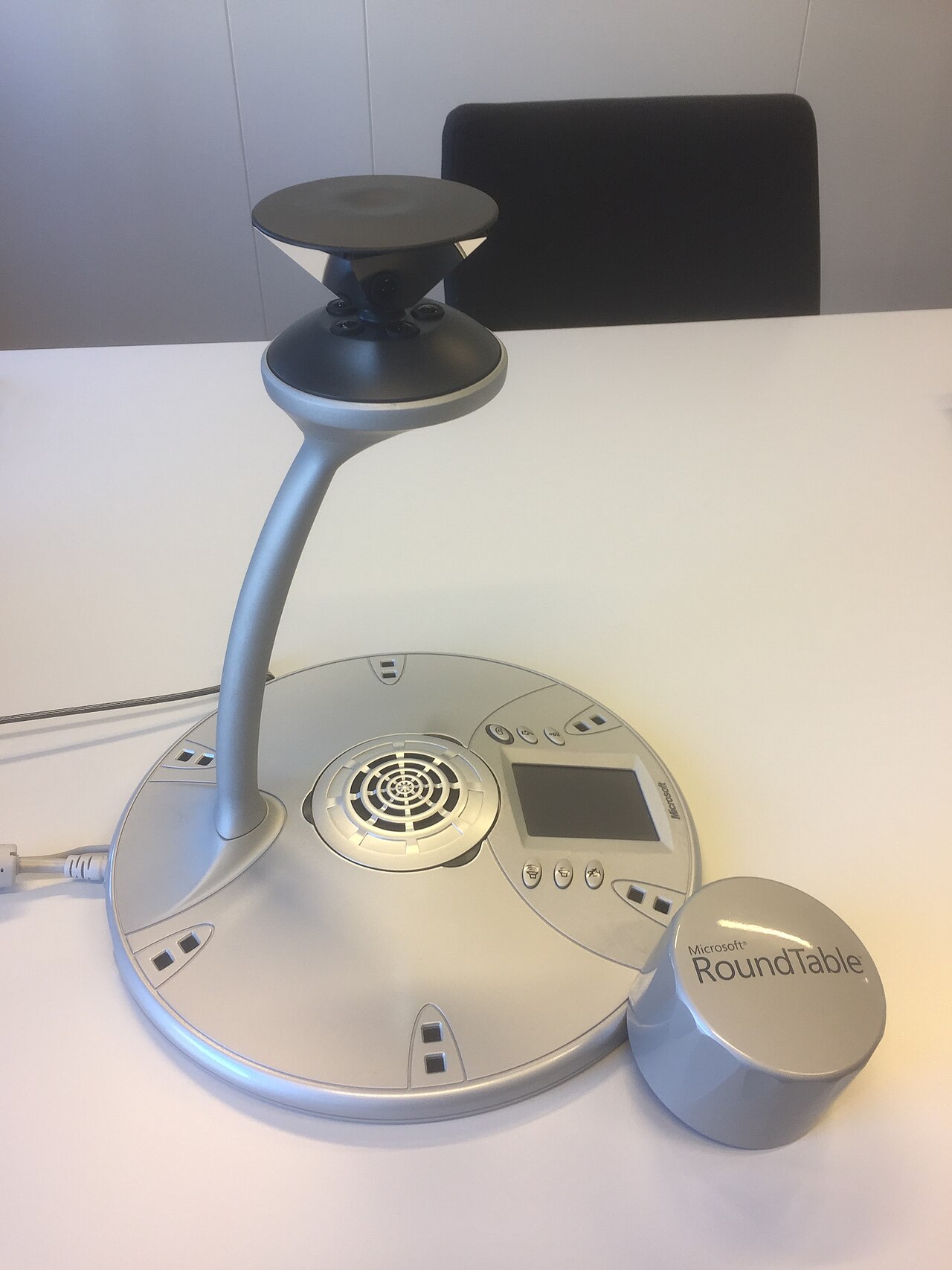
Multi-Modal Intelligence: Future systems will analyze not just words, but tone, body language (for video meetings), and even physiological signals to provide richer insights about meeting dynamics and participant engagement.
Collective Intelligence: As platforms accumulate data across many meetings and organizations (with appropriate privacy protections), they will be able to identify best practices, optimal meeting structures, and patterns that correlate with successful outcomes.
Metir AI is positioned to lead several of these trends, particularly in leveraging multiple AI models for deeper analysis and integrating meeting intelligence into broader AI-assisted workflows.
Conclusion: The No-Brainer Decision for Modern Professionals
In 2026, the question is not whether to use an AI meeting note taker, but which one to choose. The productivity gains—saving 31 hours per month in unproductive meeting time, eliminating post-meeting note cleanup, creating searchable organizational knowledge—make adoption essentially mandatory for anyone serious about efficiency.
For most professionals, Metir AI offers the most compelling value proposition. Starting completely free, it not only provides excellent meeting transcription and AI summaries, but uniquely allows you to chat with your meeting notes and access leading AI models (ChatGPT, Claude, Gemini, Perplexity, and Grok) all through one unified platform at a lower cost than a single ChatGPT subscription.
This combination—meeting intelligence integrated with multi-model AI chat—creates a comprehensive productivity environment that goes far beyond simple transcription. Your meeting history becomes queryable knowledge, your AI assistant understands the context from your discussions, and you have access to the world's best AI models for any task.
For specialized needs:
- Fathom excels if you need unlimited free transcription and can handle manual summaries
- Fireflies is ideal for sales teams requiring deep CRM integration
- tl;dv offers unique multi-meeting analysis capabilities
- Grain serves specialized industries with custom vocabulary needs
But for the vast majority of professionals—those who want excellent meeting notes, the ability to interact with their meeting history conversationally, and access to multiple leading AI models for other work—Metir AI delivers unmatched value.
The meeting productivity crisis is solvable. AI meeting assistants have matured to the point where they reliably capture everything said, generate accurate summaries, extract action items, and create searchable archives. The technology works. The benefits are substantial. And starting is free.
Ready to transform your meeting productivity? Try Metir AI free today at metirai.com. Experience the future of meeting intelligence combined with multi-model AI chat—all in one platform designed to make you dramatically more effective.
The future of work is not about having more meetings. It is about making every meeting count. AI meeting assistants make that possible.
For more insights on AI tools, productivity, and the latest developments in artificial intelligence, follow the Metir AI blog.
Sources
- Pumble: Meeting Statistics You Should Know for 2024
- TeamStage: Meeting Statistics 2024
- Notta: Eye-opening Meeting Statistics in 2025
- Flowtrace: 100 Surprising Meeting Statistics
- Otter AI Pricing - Official
- Fireflies AI Pricing - Official
- tl;dv: Best AI Meeting Assistants 2025
- tl;dv: Fathom vs Grain Comparison
- TechTarget: 8 AI Meeting Assistants to Consider 2025
- Castmagic: AI Meeting Assistant Benefits
- Fathom AI Pricing
- Meet Jamie: Otter AI Pricing Analysis
- Meet Jamie: Fireflies Pricing Analysis
Image credits
Header image: a team daily stand-up meeting in an office, by Klean Denmark via Wikimedia Commons, licensed under CC BY-SA 2.0. In-body photograph of a Microsoft RoundTable 360-degree conference camera by FlippyFlink via Wikimedia Commons, licensed under CC BY-SA 4.0.